Quick Answer: The best ChatGPT alternative for SEO depends on where your workflow breaks. ChatGPT invents SERP data, forgets your client’s voice, and freezes mid-batch. To fix it: (1) verify every AI search number before you trust it, (2) match the tool to the job instead of forcing one chatbot to do everything, and (3) use a work-oriented tool like OpenCraft AI that finishes the whole pipeline instead of handing the work back to you. Start with 100 Free Credits.
Here is the fact first. Search Engine Land’s ChatGPT alternatives guide lists the problem in plain words: ChatGPT has “no real-time data access” and suffers “frequent inaccuracies from training data bias.” Now the pain scene.
You ask ChatGPT for keyword data on a client’s page. It returns a neat table. Keyword difficulty 12. Search volume 2,900. A list of “top pages” with domains you half recognize. You drop those numbers into a content brief and send it to the client. The client asks where the numbers came from. You go to check. The volume is wrong. One of those “top pages” does not rank for that keyword at all. Now you are re-doing the brief at 9 p.m.
Here is the truth: it is not your fault. You were using a general-purpose chatbot for work it was never built to finish.
This guide is for SEO specialists, content leads, agency owners, freelance writers, and in-house marketing employees who keep pasting text between four tabs. If that is not you, the principles still apply.
The Three Ways ChatGPT Breaks on SEO Work
Most “ChatGPT alternatives for SEO” articles are just lists of names. That misses the point. The reason you are looking for an alternative is that ChatGPT breaks in three specific places. Name the break and you know what to buy.
Break 1: It Fabricates SERP Data
Search Engine Land is blunt. ChatGPT has “no real-time data access” and its outputs carry “frequent inaccuracies from training data bias.” When you ask for keyword difficulty or monthly search volume, the model often fills the gap with a number that sounds right. Plausible is not true.
For SEO, this is the worst possible failure. A blog outline can be generic and still get fixed. A wrong search-volume number goes into a client report and becomes a decision. That is why this break leads the post. Before you switch tools, you need a way to catch the fake numbers. That is the verify-first workflow in the next section.
Break 2: It Forgets Your Client’s Voice
You tell ChatGPT your client says “we,” never “I,” and bans the word “solutions.” Two prompts later, “solutions” is back in the draft. The instructions quietly fall out of a long thread. This is the exact complaint covered in our guide to why ChatGPT keeps ignoring custom instructions.
The tenth brief should read sharper than the first. With a stateless chatbot, it usually reads the same. You re-explain, re-upload, re-verify. The tool talks. You do the work.
Break 3: It Freezes Mid-Batch
ChatGPT Plus costs $20 a month, and OpenAI’s own pricing page says “Limits apply.” Run a 12-post batch and you hit the wall. A 5-hour window, then a freeze. Users in this OpenAI community thread describe running out of the $20 plan fast and watching the tool freeze mid-task.
This break is real but it is the backup, not the lead. Limits only matter after the data is trustworthy. Fix the data problem first. See our full breakdown of ChatGPT alternatives here.
The Real Problem Is the Stack, Not the Bot
Here is what the top-ranking pages on this keyword get wrong. They group tools by category, writer here, keyword tool there, auditor over there. Then they leave you to assemble the stack yourself. The stack is the problem.
The Four-Tab Tango
A normal SEO content workflow today looks like this. You research in one tab. You draft in a second. You score the page in a third. You paste between all of them. A subreddit thread on r/GeminiAI captures the split-brain feeling of running the same work through two general assistants at once.
Every Handoff Is a Leak
Every time you copy from one tool and paste into another, you lose something. Formatting. Context. The little instruction about the client’s banned words. Research says the cost of switching between tools is real cognitive overhead. We covered that in AI mental load: why your tools exhaust more than they help.
What “ChatGPT Alternative for SEO” Actually Means
You are not really asking “which chatbot writes better.” You are asking “what replaces the whole workflow.” That is why the answer is not a single tool. It is a rule: match the tool to the job, and pick a tool that finishes rather than one that talks.
Verify Before You Trust Any AI’s SERP Data
This is the skill the ranking pages skip. Before you compare any tool, you need a filter that catches fabricated data. Here is the full step-by-step workflow, the same one I use on client work.
Step 1: Make the AI Show Its Work
Never accept a bare number. When ChatGPT or any assistant gives you keyword difficulty or volume, reply with one line. “Give me the source URL for every number in that table.” A tool with live search data will cite. A tool that is guessing will stall or invent a source. Search Engine Land lists the weakness explicitly: “frequent inaccuracies from training data bias.”
Step 2: Cross-Check Against a Data Aggregator
Take the numbers to Ahrefs, Semrush, or your Google Search Console. Two minutes per keyword. If the AI number and the aggregator number disagree by more than a rounding error, the AI number is dead to you. This is not extra work. A wrong keyword decision costs more than two minutes.
For the competitive layer of this, the who-actually-ranks-and-what-they-published check, we broke down the full method in best AI tool for competitor research.
Step 3: Flag What Survives
Only numbers that survive the check go into the brief or the client report. Everything else gets a “verify” flag or gets cut. That one habit removes the biggest single risk in AI-assisted SEO.
A Worked Example
Here is the before and after, using the format from our guide to making ChatGPT give honest answers.
Trusting the bot: ChatGPT says keyword difficulty 12, volume 2,900. You paste it into the brief. The client finds volume is actually 4,400. You lose the afternoon and a little credibility.
Verify-first: You ask for sources, cross-check in Semrush, and only ship the number that matches. The brief says “volume 4,400 (Semrush, checked Sept 2026).” The client trusts the next one too.
Build this verify-first habit before you switch tools, because the habit is worth more than any single alternative. The tools below all assume you are doing it. And if you want the whole loop, research, brief, draft, optimization, in one workspace instead of four tabs, start with 100 free credits on OpenCraft AI.
The Alternatives, Grouped by the Job They Do
Now the shortlist. Every tool below is named because it does one SEO job well. None of them does all three. That is the point.
Writers: Claude and Gemini
Claude is the strongest long-form writer of the general chatbots. It follows instructions better than ChatGPT and holds a consistent voice longer. Its ceiling is limits, not quality. Anthropic’s own usage limits frustrate power users, and that is a real constraint on a 12-post sprint. Gemini is free and its long context window is huge, but Hootsuite notes it is limited for long-form content quality. For a deep dive, read ChatGPT vs Claude and Gemini vs ChatGPT.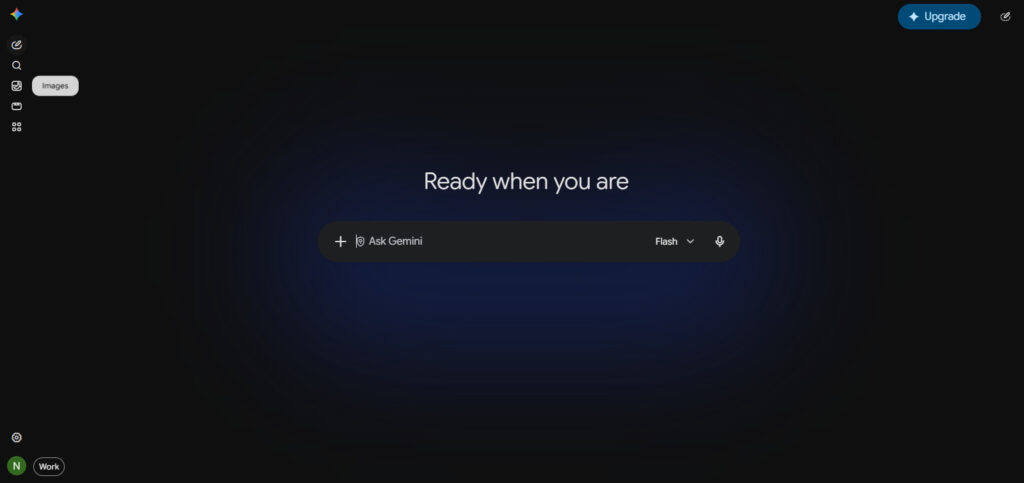
Researchers: Perplexity and Grok
Perplexity is the research tool. It cites its sources, which makes it the fastest way to run the Step 1 check above. But it is a researcher, not a writer. Search Engine Land says to avoid using it for content generation. Grok has live access to X and is quick for surfacing fresh takes, but it is not an SEO workbench. Our full comparison is in Perplexity vs ChatGPT: which AI tool actually delivers.
SEO-Native Scorers: Surfer and ContentShake
Surfer scores a page against what is already ranking and tells you which terms to add. It does not write the page for you. Hootsuite puts Surfer’s entry plan at about $79 a month and flags that its suggestions can feel cookie-cutter. Semrush’s ContentShake starts around $60 a month. Both are good at the scoring step. Neither holds your brand voice across a client account. See our best AI tool for SEO writing guide for the scoring-tool deep dive.
What Each Tool Does Well, and Where It Stops
This is the honest critique section. No trash talk. Every tool below is good at one thing. The question is whether one thing is enough.
ChatGPT: Strong Prose, No Live Data
ChatGPT writes clean, readable prose fast. It is the default because it is easy. Its failures are the three breaks above: invented SERP data, drifting voice, and paid-plan freezes. For quick tasks it is fine. For SEO decisions it is a risk. Read why ChatGPT is bad at this kind of work for the root cause.
Claude: Best Writer, Same Statelessness
Claude holds voice and instruction discipline better than ChatGPT. If your only job is long-form draft quality, Claude is the pick. But it is still stateless between sessions unless you rebuild context, and its paid tiers have hard message caps. The honest boundary: better prose does not finish the pipeline.
Perplexity: Cited Research, Not a Writer
Perplexity answers with links, which makes it the best general tool for the verify-first workflow. The boundary: it summarizes, it does not draft publish-ready client content. Use it as the fact-checker in the loop, not the writer.
Surfer: Scores Pages, Does Not Finish Them
Surfer tells you the page is missing three terms. Then you go write those three terms somewhere else. It is a measuring stick, not a co-worker. Valuable, but it adds a tab to the stack instead of removing one.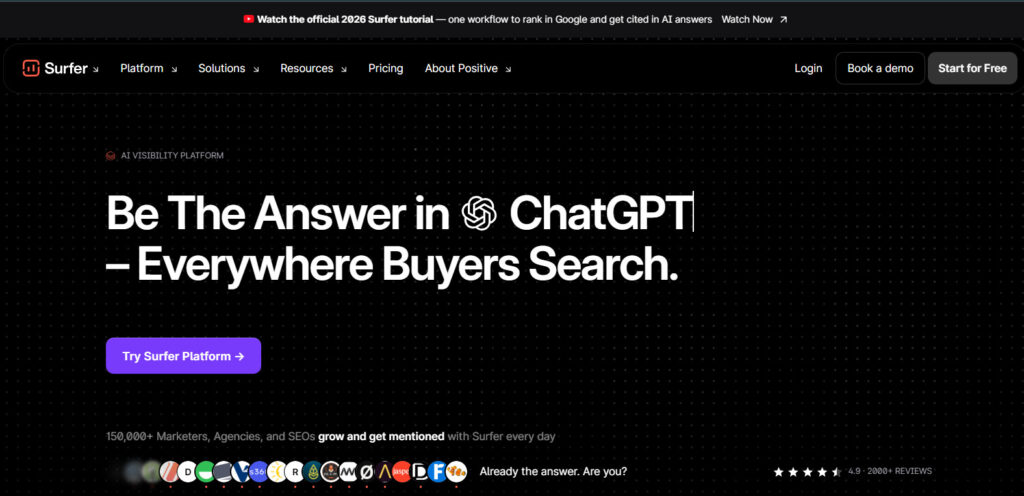
Jasper: Fine for Marketing Copy, Not SEO Data
Jasper is good at on-brand marketing copy once you train it. It is not a keyword research tool and it does not pull live SERP data. Hootsuite puts its entry plan at about $39 a month. If your team is deciding between it and ChatGPT, we did the honest comparison in Jasper vs ChatGPT: which AI tool should you actually pay for.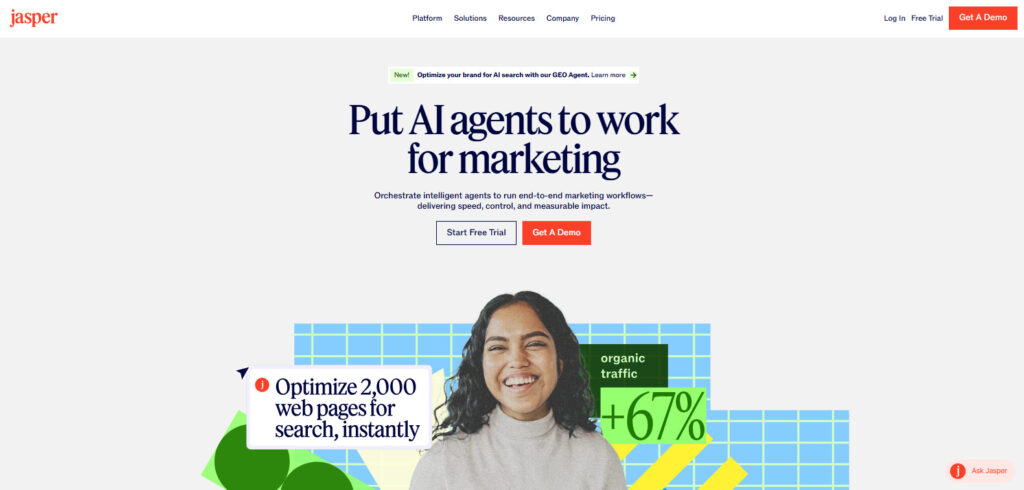
The Pattern
Every tool above is excellent at one step. None of them carries the work from research to draft to optimization to publish. That handoff gap is the thing that makes the stack exhausting. It is also the thing a work-oriented tool is built to close.
Why the Voice Always Sounds the Same
There is a second reason the stack fails, and it hides inside every general chatbot. They all converge on the same default voice. Ask ChatGPT for a blog and you get the same cadence, the same transition words, the same “in today’s digital landscape” opener that everyone else got. We named this in the billion-voice problem.
The Default Voice Is Not Your Client’s Voice
Your client spent years building a voice. The AI ships a default one in three seconds. Fixing it takes re-prompting, custom instructions, and constant editing. There is a cleaner way: how to avoid generic ChatGPT output walks through the constraints that force the model off the default track.
Memory Is the Fix, Not Better Prompts
Better prompts help. They do not survive a long thread. Memory does. A tool that remembers the client’s banned words, their tone, and their last ten briefs does not need you to re-explain on every new page. The tenth brief comes out sharper than the first because the context accumulated. That is the difference between a prompt and a process.
The Car vs the Truck
This analogy matters because it explains why the whole category is mislabeled.
General-Purpose Tools Are Cars
ChatGPT, Claude, and Gemini are cars. They are general, consumer-friendly, and good for everyday driving. You can ask a car to haul a load. It will pull a little, complain, and eventually overheat. A car can do light towing, but it cannot do massive heavy lifting.
Work-Oriented Tools Are Trucks
OpenCraft AI is the truck. It is utilitarian, built for heavy hauls, and less interested in being a charming general companion. The difference shows up on multi-step work, not on a single chat message. That is the entire framing: a general assistant “can” do SEO work. A work-oriented tool is designed to finish it.
SEO Is Heavy Hauling
An SEO pipeline is not one prompt. It is research, a brief, a draft, an optimization pass, internal links, and a publish checklist. That is a haul. Trying to drag it through a general chatbot is the four-tab tango from earlier. This is the honest pivot point in the post, and it is earned by the three breaks above, not asserted.
OpenCraft AI: The Work-Oriented Option
Here is where OpenCraft AI fits, and exactly what it does, stated from the product facts only.
It Finishes the Work
OpenCraft AI runs on open-weight models tuned for agents. It executes real steps in an isolated sandbox instead of only returning text. The signature line on the site is direct: “Everyone says agent. Few deliver. OpenCraft AI finishes the work.” That means the research, draft, and optimization steps happen inside one workspace, not across four tabs.
Memory That Compounds
The tool remembers your files, context, and decisions across sessions. The site puts it plainly: the more you use it, the less it needs from you. One verified testimonial from the site says it best: “It remembers my projects now. The tenth brief comes back sharper than the first.” That is the direct answer to Break 2.
Pay As You Go, No Rate Limits
Pricing is usage-based credits with no subscription and no caps. The offer bar says “Free to start. No card. No rate limits. Start with 100 Free Credits.” No hard message caps, any volume. That is the direct answer to Break 3. And there is no vendor lock-in: open-weight models mean no single vendor can gate or deprecate the frontier away. Read more on why that matters in AI model sovereignty.
Safe to Run Unattended
Because it works in a sandbox, it cannot escape, cannot delete your files, and nothing it does is unrecoverable. For client work where confidential data is involved, that isolation is the difference between “safe to automate” and “keep a human in every step.” Our sensitive-data post covers why that matters for agencies.
Open Models Mean No One Can Pull the Rug
One detail separates OpenCraft AI from the general chatbots, and it matters for a business decision. It runs on open-weight models. That means no single vendor can deprecate the model you rely on, raise the price on a whim, or quietly change the output quality behind a version number.
You Are Not Renting Someone Else’s Road
Closed models are rented. The vendor sets the limits, the price, and the behavior. Open models are yours to run and switch between. When one model stalls, the tool swaps to another invisibly, no re-prompting, no dead ends. We covered the strategic case in open-source AI is no longer optional and why it matters for a company’s control in AI model sovereignty.
No Vendor Lock-In Means No Vendor Ceiling
For an SEO agency, lock-in is a specific risk: the vendor changes the model, the voice shifts, and every client brief needs a rewrite. With open-weight models and a unified credit balance, you pick the model per task and no vendor can gate the frontier away. That is a structural advantage, not a feature bullet. The full comparison is in OpenCraft AI: the ultimate Claude alternative without rate limits.
The AI-Readiness Angle Nobody in the SERP Mentions
Every ranking page on this keyword is stuck on 2024 thinking: keyword research, content, backlinks. None of them cover the fact that search is shifting to AI answers. Showing up in those answers is now part of SEO, and it is a step ChatGPT cannot help you with.
What AI Readiness Actually Is
AI assistants and search engines now read a site through machine-readable files like llms.txt, plus structured signals that tell an AI what your content is about and when to cite it. SEOPress calls its version of this “Agent Readiness.” The short version: if your site is not prepared for AI crawlers and AI citations, you are invisible to the next wave of search.
A Site Audit That Takes 1 to 2 Hours
This is where OpenCraft AI connects to the picture. You can point it at a site and have it run a thorough audit of AI readiness. It will take a while, one to two hours, and it will tell you exactly what you need: which pages need llms.txt coverage, where your content is not structured for AI citation, what to fix first. ChatGPT will not do this. It will summarize an article about AI readiness. OpenCraft AI will crawl and produce the fix list. That is the car-versus-truck difference made concrete.
Why This Matters for the Keyword
Someone searching “ChatGPT alternative for SEO” is making a buying decision about their workflow. The tool that only matches the 2024 workflow is already behind. The tool that also covers AI visibility is the one that survives the shift. Our agentic SEO: hype vs reality post separates the real from the noise on that shift.
The Skills Workflow: How We Actually Run SEO With OpenCraft AI
This is the part where we stop being a news reporter or something and show the actual setup, because this is the highest-trust block in any post like this one.
The Starter Prompt Triggers Everything
We keep our SEO process as a set of private GitHub skills, installed into OpenCraft AI under /ai.skills. A skill is a packaged instruction set: the steps, the checklists, the banned words, the output format.
Instead of trying to copy and paste a 2,000-word prompt every time, we send one starter prompt. Something like: run the SEO blog pipeline for keyword X on client Y. The skill unpacks the rest.
The seo-blog-pipeline Skill
One skill we use is seo-blog-pipeline. It is the full content process: SERP research first, then a question gate, then the draft, then review passes, then delivery. Referencing it means the assistant does not improvise the process. It runs the same hard gates every time. That consistency is the whole point of packaging the process as a skill instead of pasting a prompt.
Interactive vs Fully Autonomous
OpenCraft AI can run the pipeline end to end: give it a keyword and it can produce a published page with no further input. It can also run interactively, stopping at each gate for your call. I have seen better results running it interactively than fully autonomous.
The fully autonomous run is real and it works, but when we stay in the loop at each gate, the output is sharper and fewer things need a rewrite.
For SEO work where one wrong number poisons a brief, the interactive mode is worth the extra minutes.
A Real SEO Sprint, With Time Math
Here is what this looks like end to end, with approximate hours. I keep these approximate on purpose; your numbers will shift with the niche.
The Old Way: The Stack
Research in one tab, draft in ChatGPT, score in Surfer, paste between all of them. A single client blog runs about two and a half to three hours when you count the handoffs and the re-prompting. A 12-post sprint lands around 30 hours, and a big chunk of that is not writing. It is copying, pasting, and re-explaining.
The OpenCraft AI Way: The Pipeline
One starter prompt triggers the skill. The research, brief, draft, and optimization pass happen in one workspace, with memory carrying the client’s voice. The interactive gates catch the fake SERP data before it enters the brief. A single blog drops to roughly 45 to 60 minutes. A 12-post sprint drops to somewhere around 10 to 12 hours, and the time you do spend is on judgment, not on copy-paste.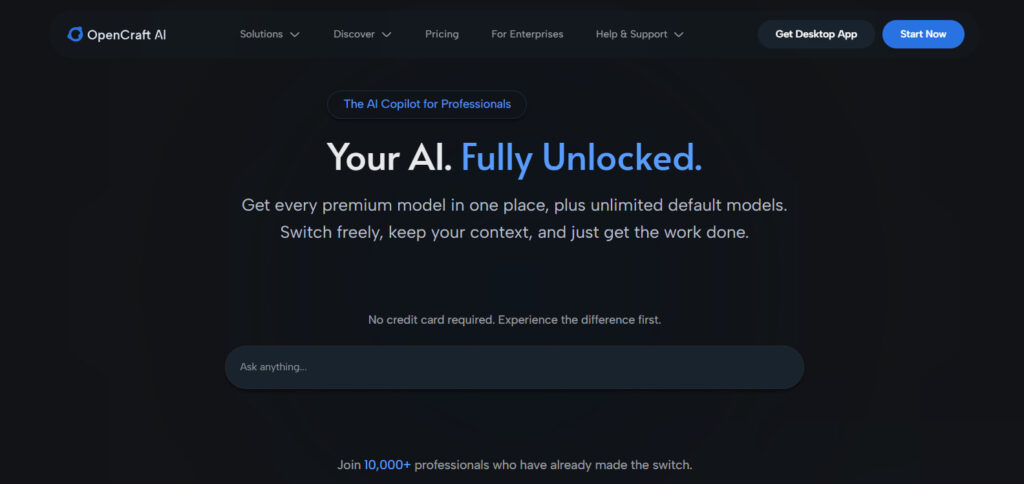
The Numbers, Honest Version
The exact hours are approximate and flagged as such. What is not approximate is the structure of the saving: the handoffs go away, the re-explanations go away, and the data-verification step becomes a gate instead of a disaster you discover at 9 p.m. If you want the math on whether the subscription is worth it, how to calculate ROI from AI tools walks through it.
Pricing Compared
Keep the table cells short. Prices change, so verify the official page before you quote any of them in a client report.
| Tool | What it is best at | Starting price (approx, verify) | The hard limit |
|---|---|---|---|
| ChatGPT | General prose, quick tasks | $20/month Plus | Invented SERP data, paid-plan freezes |
| Claude | Long-form draft quality | $20/month Pro | Hard message caps on paid tiers |
| Perplexity | Cited research | $20/month or $200/year | Not a writer |
| Gemini | Free access, huge context | Free, Advanced $20/month | Long-form quality lags |
| Surfer | On-page scoring | ~$79/month (Hootsuite) | Does not write or finish |
| ContentShake | Scoring plus outline | ~$60/month | No brand-voice memory |
| Grok | Fresh takes, X access | Varies | Not an SEO workbench |
| Meta AI | Social-adjacent help | Free | Social-only, not SEO |
| OpenCraft AI | End-to-end pipeline, memory, no caps | Free to start, 100 credits, usage-based | None of the three breaks above |
How to Read the Table
Every general tool is strong at one step and stops there. OpenCraft AI is the only row built for the whole loop. That is not an opinion column; it is the structure of the table. The decision rule below turns it into a choice.
The Decision Rule
If your SEO data keeps being wrong, fix the verification habit first, then pick a tool with live or cited data. If your voice keeps drifting, you need memory, which means a work-oriented tool. If you keep hitting limits mid-batch, you need pay-as-you-go with no caps. If all three are broken, you need the truck, not a better car.
FAQ
Is there a free ChatGPT alternative for SEO?
There are free tiers. ChatGPT, Gemini, and Claude all have them. But nothing good comes free for real SEO work. The free tiers have caps, weaker models, or no memory. A free tool that fabricates SERP data and then hands you the cleanup is not free. It costs you the evening. If you want the honest trade-off between free and paid, start with our guide to the best AI for business owners.
Can AI do keyword research without fabricating data?
Yes, if you use the right tools and the verify-first workflow. Tools with live search access or citation-backed results, like Perplexity, give you a source to check. The workflow in this post, ask for the source, cross-check against Ahrefs or Semrush, flag what survives, removes the fabrication risk. The problem was never AI. The problem was trusting a bare number from a tool with no live data.
Do I still need Ahrefs or Semrush if I use OpenCraft AI?
Yes, and it is wise to keep them. Ahrefs and Semrush are data aggregators. They are the ground truth you cross-check against. OpenCraft AI runs the workflow and finishes the work, and you can use it inline with those aggregators. The verify-first step literally requires a source of truth outside the assistant. A work-oriented tool plus a data aggregator is the full setup. Dropping the aggregator is how the fake numbers sneak back in.
The Short Version
If your SEO workflow keeps breaking, stop pasting between four tools. Verify every AI number, match the tool to the job, and pick a work-oriented tool that finishes the pipeline instead of handing the work back. OpenCraft AI runs on open models with memory that compounds and no rate limits. Start with 100 free credits and trigger your own SEO process with one prompt.
References
- Search Engine Land, “ChatGPT alternatives” guide: https://searchengineland.com/guide/chatgpt-alternatives
- Hootsuite, “13 ChatGPT alternatives worth trying”: https://blog.hootsuite.com/chatgpt-alternatives/
- OpenAI community thread on $20 plan limits: https://community.openai.com/t/api-vs-20-month-subscription-for-those-who-use-chatgpt-as-an-assistant-webmasters-programmers-seo-specialists/695940
- OpenCraft AI product facts and pricing, verified 2026-08-28: https://opencraftai.com and https://opencraftai.com/pricing