Quick Answer: ChatGPT ignores custom instructions because it is trained to be helpful before it is trained to be precise. When your rules conflict with what the model thinks is a better answer, your rules lose. To fix it:
(1) put your most important constraints at the start and end of your prompt
(2) use constraint-first wording like “Do NOT do X” instead of “try to avoid X,”
(3) break complex rules into numbered layers
(4) force it to ask clarifying questions before it answers, and
(5) if reliability is the job, use a tool that enforces instructions at the backend so the model literally cannot override your rules.
ChatGPT ignoring your custom instructions? Here are the fixes that actually hold, from prompt techniques to tools that enforce instruction adherence.
The Real Cost of ChatGPT Ignoring Your Instructions
If you have spent a week crafting perfect prompts, saved them into custom instructions, and still get output that rewrites your guidelines into generic corporate speak, you are not the problem.
The problem is the tool. Here is what that costs you, in the order your clients actually feel it.
Output you cannot trust for client-facing work. This is the first and most expensive failure. You asked for a compliance summary, a client report, or a legal memo with specific terms. What comes back contains extra opinions, softened language, and sections you never requested. You cannot forward that to a client. So you do not just edit it, you redo the reasoning, the numbers, and the formatting. Every “helpful” addition the model makes is now your liability.
Inconsistency across projects, clients, and files. One brand voice works in one conversation. Open a second project for another client, and the tone reverts to generic corporate speak. A consultant juggling multiple briefs gets a different “house style” from every chat. Consistency is the quiet killer: it is not one dramatic failure, it is dozens of small mismatches that make every piece of work need a pass.
Instructions that work, then stop. Turn one and two are perfect. Somewhere around turn five or six in a long thread, the model drifts back to generic patterns. Users on OpenAI’s own community board describe instructions that “worked” in a fresh chat quietly stopping as the conversation grows.
Negative instructions get ignored. “Do NOT include an introduction” produces an introduction. “Do NOT mention pricing” produces a pricing paragraph. Because the model is trained to be agreeable and complete, it treats your “do nots” as soft suggestions. You restate the same boundaries every single time.
Time wasted re-editing and re-prompting. When you ask for a weekly marketing plan and it restates the format every week anyway, you spend 20 to 30 minutes deleting redundant sections before the output is usable. That is not AI saving time. That is AI creating work.
Your voice gets diluted into a template. You specified tone, style, and what to avoid. It ignores half of it. Client-facing content starts to sound like the same template every other business runs. Your clients notice. Your team notices.
Multi-step processes fall apart midway. Step 1 works. Step 2 works. By step 3, it has forgotten the instructions from step 1. It adds sections you told it to avoid and reverts to generic output.
You are forced to become a prompt-engineering expert just to get basic results. A tool that hands the work back should not require a course in prompt syntax to produce a usable first draft. If you are barely keeping up, you stop trusting AI, and that is the real tax, you stop using it at all.
This guide is written for business owners first, then for freelancers, consultants, marketing and copywriting teams, researchers, legal and finance professionals, developers, and anyone running data-heavy work. If you do not fall under these, the principles still apply.
If even one of these failures sounds like your week, you can test the backend-enforced alternative free, no card, 100 credits: Start with 100 Free Credits.
How This Plays Out in Real Work (Examples From Our Client Work)
People hear “custom instructions” and picture one marketing prompt. The reality is broader. We see the same drift pattern in every knowledge-work use case, and it is useful to see it in your own context.
Take a legal counsel reviewing a contract. The tool is told to flag only three clause types and keep markup minimal. In a short chat, it complies. In a longer review, it starts adding nice-to-have suggestions, softens the language, and “reminds” the user of unrequested risks. Every one of those additions must be read and rejected, hours lost across a week. A senior legal counsel told us OpenCraft AI’s memory alone saves her about 2 hours a day because it stops re-explaining the background (Sophie D., Senior Legal Counsel, Paris, 2026).
Take a researcher synthesizing hundreds of sources. The task: summarize 500+ papers against one methodology, no editorializing. The tool drifts into commentary by the third batch, mixing the client’s findings with its own opinions. The researcher then has to audit every paragraph for content that was never requested. A Research Director using OpenCraft AI had 500+ papers and a full methodology indexed, and the tool synthesized them to the methodology instead of around it (Dr. Eleanor H., Research Director, Oxford, 2026).
Take a founder who uploaded company documentation. The promise was “answers like a co-founder who has actually read everything.” With a general chat tool, the context never survives a session. The founder re-uploads, re-explains, and re-verifies, the definition of the work being handed back (Vikram D., Founder, Kolkata).
Take a management consultant who crunches numbers and writes reports. The tool needs to keep numbers intact while making output “sound human without copy pasting.” Drift breaks the numbers first: a “helpful” rewrite changes a figure’s framing. That is not editorial, that is a factual error waiting to reach a client (Marcus C., Management Consultant, NYC, 2026).
These are not exotic cases. They are the same core failure: instructions as suggestions instead of rules. No matter the profession, the moment “helpful” wins over “as specified,” you inherit the cleanup.
3 Solutions When ChatGPT Won’t Follow Instructions
There are three levels of solution. Level 1 is a band-aid you can apply today. Level 2 is knowing which tasks will never work, no matter how you prompt. Level 3 is using a tool built to treat your instructions as rules.
Level 1: Improve Your Prompting (The Band-Aid Solution)
If you are stuck inside ChatGPT, these techniques improve adherence. They do not eliminate the problem, but they move the needle.
Use constraint-first prompting. State what NOT to do before you give creative instructions. “Do NOT include an introduction” performs better than “Try to avoid an introduction.” Be explicit about boundaries first.
Structure instructions in layers. Separate your immediate context (what you are doing right now), your background context (why you are doing it), and your outcome context (what success looks like). Three short blocks beat one long paragraph.
Force clarifying questions. End your prompt with “Do you have any questions before you begin?” This pushes the model to pause and think before generating generic output.
Repeat critical instructions at the end. Models weight the end of a prompt heavily. If something is non-negotiable, state it last.
Use a self-check step. After the first output, ask it to verify against a checklist: format, length, tone, banned items. If anything fails, fix and re-output. This catches drift before you copy the text.
Before and after.
Generic: “Write a blog post about email marketing best practices.”
Constraint-first: “Write a blog post about email marketing. Do not use ‘best practices,’ ‘game-changer,’ or ‘unlock potential.’ Do not write in a corporate tone. Use a grade-5 reading level. Max 1,200 words. If you need more details, ask before you start.”
These techniques help. They are still band-aids. You are still fighting the model’s base training, still spending extra time crafting prompts, and still dealing with drift in long conversations.
Level 2: Understand the Limitations and Work Around Them
Some tasks are not suited for ChatGPT’s custom instructions, period. People try many workarounds before they conclude this, we have seen all of them.
Prompt engineering tricks (constraint-first, repeat-at-end, self-check). They work for a while, then drift returns.
Custom GPTs. A specialist with its own instructions and knowledge. Better for simple, single-turn tasks; the same helpfulness-tuned model underneath.
ChatGPT Projects. Per-project instruction sets and files (2025+). Better organization, not better enforcement.
Claude, Gemini, or other general chat assistants. Same class of model behavior; the helpfulness bias is not unique to OpenAI.
API + system prompts. You write your own wrapper and send the rules as a developer message on every call. This is the strongest control inside a single LLM call, but it means you build and maintain an app, and the model can still soften your rules.
Multi-model platforms like Poe or OpenRouter. Many models, one interface, and the same adherence limits, because none of them enforce rules at the backend.
Rewriting every output by hand. The default. It “works,” and it is the most expensive option on the list.
You need a different approach if you need strict format adherence (specific templates, data structures, or output formats), multi-step workflows where instructions must be remembered across five or more interactions, brand voice consistency across dozens of content pieces and clients, or complex business processes with conditional logic (“if X, then Y”).
Custom GPTs and Projects will let you down on these. Not sometimes. Consistently. You can invest hours in prompt engineering and still hit the same wall, because the model’s helpfulness bias sits above your rules.
Level 3: Use a Tool That Enforces Instructions at the Backend
This is where OpenCraft AI is built differently. ChatGPT is optimized for helpfulness over precision. OpenCraft AI flips that priority and validates output against your rules before it reaches you, so the model’s default behavior cannot override your instructions.
Tell OpenCraft AI to do something, and it does it. Tell it to leave something out, and it stays out. Your instructions operate as rules, and the output is checked against them before anything reaches you.
You can watch it happen. Because output is checked against your rules before it is delivered, you can see the enforcement live in the thinking stream, and you can ask for an enforcement report that shows what was checked and what changed. No guessing about whether the tool followed your brief, you can verify it.
A real example from our weekly workflow. At our marketing agency, Revenueholic, we build a weekly action plan for client work. Every single week in ChatGPT we told it: “Do not reiterate the format. Just give me the plan.” Every single week it ignored us. It restated the format, explained the sections, and added context we had explicitly excluded. We switched to OpenCraft AI. Same task, same prompt. It followed the instructions and validated the output against our brief.
Unlimited custom instruction sets, not just one. In ChatGPT, you get one master custom instruction per account and one per custom GPT. ChatGPT Projects (as of 2026) give you per-project instruction sets and files, but you still manage them inside OpenAI’s model behavior. In OpenCraft AI, you create unlimited custom instruction sets: client briefs, brand guidelines, content formats, data analysis templates. You switch between them in one click, and they apply across all your projects, not just one conversation. A freelance strategist described it directly: “It remembers my projects now. The tenth brief comes back sharper than the first” (F., Freelance Strategy Consultant).
Not locked into one model. OpenCraft AI runs on open-weight models: Oca1 (Swift, Core, Ultra), DeepSeek v4 (Flash, Pro), Z-ai/GLM-5.2, and Kimi K3 (as of September 2026). When you switch models, your instruction sets carry over, and the system keeps your constraints applied. If one model stalls, another takes over without you re-prompting. That is the failover behavior ChatGPT does not offer.
Priced for work, not subscriptions. OpenCraft AI is pay-as-you-go credits. No subscription, no card to start, no rate limits, credits never expire (opencraftai.com/pricing, Sept. 2026). You get 100 free credits to start. A heavy user including creative work typically runs roughly $30 to $50 a month in credits; that is an illustrative estimate, and actual spend depends on usage. One verified user told us: “What takes me four prompts elsewhere, Ocai delivers in one” (V., Verified User).
Why ChatGPT Is Designed to Ignore Custom Instructions
It is not a bug. It is a design choice that prioritizes the wrong thing for professional use.
1. ChatGPT Is Optimized for “Helpfulness” Over Precision
OpenAI trains its models with Reinforcement Learning from Human Feedback (RLHF). The goal is to make the assistant sound helpful, agreeable, and non-threatening. In practice, this means ChatGPT is more likely to add context just to be helpful, reformat your output to make it clearer, and ignore negative instructions in favor of what feels complete.
For casual users asking general questions, this works fine. For professionals who need a specific process followed, it is a nightmare.
2. Instruction Hierarchy Conflicts
When you use ChatGPT, you layer instructions: system-level prompts (OpenAI’s base instruction to “be helpful”), your custom instructions (what you want it to do), and your user prompts (what you type in each conversation).
These layers do not always align. When they conflict, the model defaults to its base training. That is why you can say “do not include an introduction” and still get an introduction.
3. Context Window Limitations and “Instruction Drift”
Within a single conversation, ChatGPT can forget your instructions as the context window fills. You start with clear guidelines. It follows them for the first few responses. Then, as the conversation grows, it drifts back to generic patterns. Users on OpenAI’s community report instructions that held in a fresh chat stop holding around turn five or six.
This is exactly the problem OpenCraft AI’s persistent memory is built to solve. The system remembers your work across sessions, so a long conversation stays sharp instead of losing your rules.
4. The “Agreement Bias” Problem
ChatGPT is trained to agree with you and avoid conflict. When your instructions contradict each other, even by accident, it tries to do both or picks the safer option. It will not push back when instructions are unclear. It guesses, and you pay for the guess.
What the 2026 ChatGPT Updates Changed (and Did Not Change)
Custom Instructions still exist in 2026. What changed is where they live.
ChatGPT Projects now hold chats, files, and custom instructions in one place, which gives you per-project instruction sets instead of one account-wide master. Custom GPTs still give you a specialist with its own instructions, knowledge, and tools. Both are genuine improvements in organization.
Neither fixes the underlying behavior. Projects and custom GPTs still run on the same helpfulness-tuned model. The drift, the hierarchy conflicts, and the agreement bias all remain. OpenAI community threads from 2026 still describe users hunting for instructions that “stopped working” inside Projects (“Using Project Files in ChatGPT5 Is Very Broke”, Aug. 2025; “Where Did My ChatGPT Projects Go”, Jul. 2026).
OpenAI’s own answer to this was Codex, which proves the point. OpenAI did not solve “chat ignores instructions” inside ChatGPT. Instead it shipped Codex, a separate coding agent that actually edits files, runs tests, and iterates until the work is done, rather than handing code back as suggestions (Willison, Simon, “Vibe Engineering,” 7 Oct. 2025; “How Agents Are Transforming Work,” openai.com). The distinction OpenAI draws is consistent: ChatGPT is a conversational assistant that answers and explains; Codex is an agent that does the work. In other words, OpenAI itself acknowledged that chat is not enough for real tasks, but it built that agent for coding.
If your work is code, that is relevant. But most knowledge work is not code. Reports, legal memos, research synthesis, client deliverables, brand-consistent content, none of those get a Codex. OpenCraft AI applies the same agentic principle OpenAI used for Codex to the full range of knowledge work: instructions are enforced, work is finished, and nothing is handed back for you to redo.
If you organize work in Projects, treat this post’s prompting techniques as your first line of defense. For work where reliability is non-negotiable, put the rules in a tool that enforces them at the backend.
The OpenCraft AI Difference, Without the Guesswork
OpenCraft AI is an agentic AI copilot, not another chat window. It runs in an isolated sandbox, uses real tools and files, and is built to finish work instead of handing it back.
It treats instructions as rules, not suggestions. The system validates output against your instruction sets before it reaches you. That is why the same prompt that fails in ChatGPT holds in OpenCraft AI, and why you can see the enforcement happening and request an enforcement report.
It is consistent. When your rules hold, quality holds. The same brand voice, format, and constraints apply across every project and every client, not just the chat you happen to be in. That is the consistency layer ChatGPT does not have.
It saves time. Output arrives closer to usable, which means the 20 to 30 minutes of re-editing per output turns into minutes of review. A verified user: “What takes me four prompts elsewhere, Ocai delivers in one” (V., Verified User). An AI blog-writing agency told us: “Ocai drafts in one pass, we edit, we bill, we scale. The first client paid for a month of credits” (A., Agency Owner).
It is priced for what it replaces. Pay-as-you-go credits, no subscription, no card to start, no rate limits, credits never expire (opencraftai.com/pricing, Sept. 2026). One senior full-stack developer said Ocai replaced two premium subscriptions he was paying for (Arjun M., Senior Full-Stack Developer, Bangalore).
It is safe. Work happens in a sandbox. It cannot escape, it cannot delete your files, and nothing is unrecoverable. A financial advisor put it plainly: “Client confidentiality is everything. Zero training on my information, complete control” (Sarah T., Financial Advisor, Boston).
It scales your output. One request can spin up a team of subagents that work in parallel. Content strategists have doubled output on a single stream, without switching tabs (Priya S., Content Strategist, Mumbai).
Start with 100 Free Credits. No card, no rate limits, credits never expire. Want to see which open models you can run it on first? See the Models.
Stop Fighting Tools That Won’t Listen
The idea of AI that follows your instructions should have been a win for small businesses and professionals. The execution in general-purpose chat tools fell short.
You are stuck with AI that ignores your instructions, forces you to spend extra time editing output, cannot keep consistency across complex workflows, and requires constant prompt engineering just to get basic tasks done. And the standard objection is: “I do not want to learn a whole new tool.” Fair, and it is the wrong way to think about it. You are not learning a new prompt language or a new workflow. Your existing prompts and instruction sets work. What changes is that the tool finally follows them, so you stop spending your day acting as the enforcement layer.
If you have been blaming yourself for not being good enough at prompting, stop. The tool is the problem, not you. You deserve AI that actually listens.
OpenCraft AI is built for professionals who need precision, consistency, and control. Create unlimited custom instruction sets, switch between models in seconds, and get output you can use without spending 30 minutes editing. Your time is worth more than fixing what AI should have gotten right the first time.
Try it free, no card, 100 credits: Start with 100 Free Credits. Or see the models you can run on before you sign up.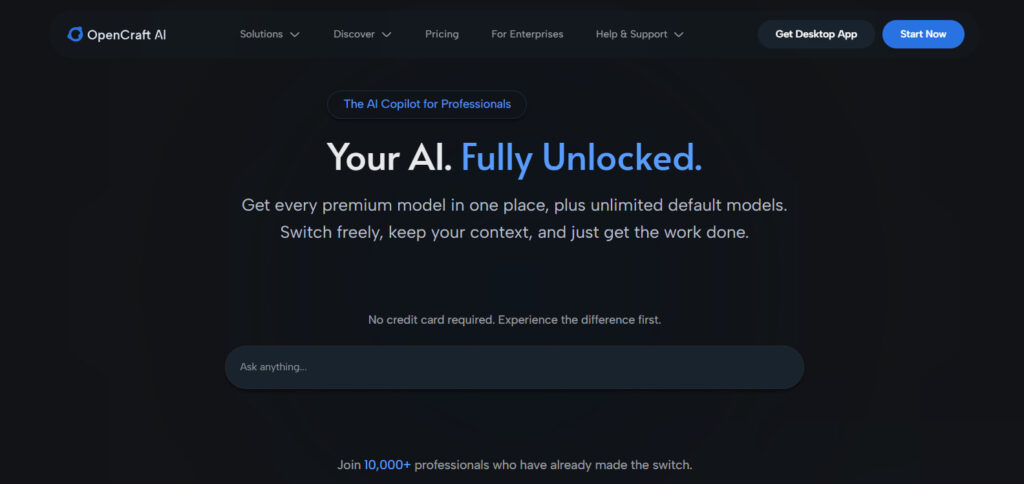
Frequently Asked Questions About ChatGPT Not Following Instructions
Why is ChatGPT ignoring my custom instructions?
ChatGPT ignores custom instructions because of its RLHF training, which optimizes for helpfulness over strict instruction-following. When your instructions conflict with what the model considers a better response, it overrides your rules. This is designed behavior, not a bug.
How do I make ChatGPT follow my instructions every time?
You cannot guarantee 100% compliance inside ChatGPT. You can get close by using constraint-first prompting, repeating critical instructions at the end, and breaking complex rules into numbered layers. For tasks where reliability is non-negotiable, use a tool that enforces instructions at the backend instead of relying on the model’s discretion.
Do custom GPTs follow instructions better than regular ChatGPT?
Custom GPTs follow instructions slightly better for simple, single-turn tasks, but they suffer the same drift in longer conversations. The underlying model still prioritizes helpfulness over precision. Custom GPTs are an improvement, not a solution.
Do ChatGPT Projects fix the custom instructions issue?
No. Projects (as of 2026) are better organization: they hold chats, files, and per-project custom instructions in one place. But the instructions still sit inside the same helpfulness-tuned model, so the same drift and override behavior remains. Projects change where instructions live, not how strongly they are enforced.
Does OpenAI Codex help with custom instructions?
Codex is a coding agent, not a fix for ChatGPT’s custom instructions. It was built to do coding work end-to-end when ChatGPT’s chat behavior proved insufficient. If your work is code, that is relevant. For reports, research, legal, and content work, Codex does not help you with instruction adherence, that is where a backend-enforcing tool applies.
Do I have to relearn everything to switch tools?
No. Your prompts and instruction sets carry over. The difference is that the new tool follows them, output is validated against your rules before it reaches you, so you stop acting as the enforcement layer. The objection “another tool to learn” does not hold when the whole point is that your existing written rules finally work.
What is the best alternative to ChatGPT custom instructions?
The best alternative is a tool that enforces instruction adherence at the backend level, so the model is structurally prevented from overriding your rules rather than just asked nicely. OpenCraft AI treats your instructions as hard constraints, not suggestions, so output matches your specified format, tone, and structure.
Can I make ChatGPT follow negative instructions (what NOT to do)?
It is difficult because of agreement bias. Constraint-first prompting helps: put “Do NOT” rules at the top and bottom of your prompt. For consistent negative-instruction enforcement, you need a tool that blocks non-compliant output before it reaches you.
Does ChatGPT get worse at following instructions in long conversations?
Yes. As conversations get longer, earlier instructions get pushed out of the active context window, causing context drift. Repeat your most important instructions periodically, or use a tool with persistent memory that keeps instruction priority regardless of conversation length.
What does OpenCraft AI cost?
OpenCraft AI is pay-as-you-go credits with per-1M-token rates across open-weight models. There is no subscription, no card to start, no rate limits, and credits never expire (pricing page, September 2026). You start with 100 free credits. A heavy user including creative work typically runs roughly $30 to $50 a month in credits; that is an illustrative estimate, and actual spend depends on usage.
References
- “Custom GPT Not Following All Instructions.” OpenAI Developer Community, OpenAI, Mar. 2025. community.openai.com/t/custom-gpt-not-following-all-instructions/1143360. Accessed 15 Sept. 2026.
- “ChatGPT 4 Ignoring My Custom Instructions, Claims It Has No Access.” OpenAI Developer Community, OpenAI, Sep. 2023. community.openai.com/t/chatgpt-4-ignoring-my-custom-instructions-claims-it-has-no-access/397024. Accessed 15 Sept. 2026.
- “Custom Instructions No Longer Work.” OpenAI Developer Community, OpenAI, Feb. 2025. community.openai.com/t/custom-instructions-no-longer-work/1116521. Accessed 15 Sept. 2026.
- “GPT-4o Not Following Simple and Clear Instructions.” OpenAI Developer Community, OpenAI, May 2024. community.openai.com/t/gpt-4o-not-following-simple-and-clear-instructions/768674. Accessed 15 Sept. 2026.
- “ChatGPT4o Ignoring Prompts in Instructions Box.” OpenAI Developer Community, OpenAI, Feb. 2025. community.openai.com/t/chatgpt4o-ignoring-prompts-in-instructions-box/1110078. Accessed 15 Sept. 2026.
- “Using Project Files in ChatGPT5 Is Very Broke.” OpenAI Developer Community, OpenAI, Aug. 2025. community.openai.com/t/using-project-files-in-chatgpt5-is-very-broke/1339143. Accessed 15 Sept. 2026.
- “Where Did My ChatGPT Projects Go.” OpenAI Developer Community, OpenAI, Jul. 2026. community.openai.com/t/where-did-my-chatgpt-projects-go/1386177. Accessed 15 Sept. 2026.
- Willison, Simon. “Vibe Engineering.” Simon Willison’s Weblog, 7 Oct. 2025. simonwillison.net/2025/Oct/7/vibe-engineering/. Accessed 15 Sept. 2026.
- “How Agents Are Transforming Work.” OpenAI. openai.com/index/how-agents-are-transforming-work/. Accessed 15 Sept. 2026.
- “AI Copilot Pricing | Pay As You Go.” OpenCraft AI, 11 Sept. 2026. opencraftai.com/pricing. Accessed 15 Sept. 2026.
- OpenCraft AI. Homepage, 2026. opencraftai.com. Accessed 15 Sept. 2026.