The Short Answer: General purpose AI is software trained to handle many kinds of work, not one narrow task. ChatGPT is the example everyone knows. Claude, Gemini, and Copilot are others. For a small business it can draft, summarize, research, plan, and train staff. The catch is that most of these tools hand work back to you midway, so you direct, re-prompt, and finish. Tools with real memory are the ones that complete deliverables and save owners hours a day. Start with 100 Free Credits, no setup required.
You know ChatGPT. You use it for the quick things: a fast email, a brainstorm, a grammar sweep. What you may not have tried is general purpose AI for business, the category ChatGPT belongs to, and the difference is bigger than you think. And you have noticed something about the work that actually matters, the proposal, the client follow-up, the SOP. It never quite finishes.
The first draft sounds like everyone else. You say “make it better.” It comes back. You say “more specific.” It comes back again. By the third rewrite, you realize you have spent more time directing the AI than doing the work. So you close the tab, go back to doing things the hard way, and quietly decide AI is a toy for other people.
That is not a you problem.
Most AI tools serve millions of people in millions of ways. That means they fit nobody in particular. They do not remember you. They do not know your business. Every session starts from zero, so you spend your day re-explaining yourself. The re-prompting, the generic answers, the setup work, that is the design, not a gap in you.
If you are a solopreneur, freelancer, or small-team owner, and ChatGPT is the only AI you have ever touched, this guide is for you. Here is the path it takes: what general purpose AI actually is, in plain English; the six daily jobs it can handle for your business; the main tools, honestly compared; why most of them still stall on real work; what changes when a tool remembers you; and how to pick the one that fits how you work.
What Is General Purpose AI for Business?
General purpose AI for business is software trained for many kinds of work, not one narrow task. It reads, writes, summarizes, researches, plans, and explains. The name comes from AI research. It means a model built for general-purpose work, not one specialty like fraud detection or translation.
Think of it as a generalist who has read a lot rather than a specialist with one trick. You ask for a proposal draft, a competitor summary, a training doc, or a hard-to-put-into-words email. It takes a genuine first pass at all of them. ChatGPT is the best-known example. Claude, Gemini, and Copilot sit in the same broad category. They differ in memory, limits, and how much finishing they leave to you.
That last part is where most guides stop. This one does not. Knowing a tool can draft is not the same as knowing it will finish.
6 Daily Jobs a General Purpose AI Can Handle
Here are the jobs owners actually delegate, with the honest note on how each one goes depending on the tool’s memory and limits.
1. Client-facing writing. Proposals, follow-up emails, tricky apologies, scope change notes. A good general purpose AI drafts these in your voice, not a generic one.
2. Summarizing documents and calls. Contracts, meeting notes, month-old email threads, research PDFs. A tool with a real context window can turn a 40-page report into the three bullets your decision needs.
3. Competitive and market research. “What are our three closest competitors offering, and where is the gap?” It can gather, compare, and summarize so you spend your time deciding, not digging.
4. Planning and decision support. Calendar structure, project plans, pricing scenarios. It will not decide for you, but it gives you the options and the tradeoffs written out plainly.
5. Drafting SOPs and training materials. Onboarding docs, process guides, checklists. This is slow, hated work that AI genuinely absorbs, as long as the tool keeps your company’s context from one doc to the next.
6. Brainstorming and ideation. Content angles, offer names, agenda structures. Fast, low-stakes, and where even a basic free tool earns its keep.
Note the pattern. Every one of these jobs has a finishing step: the final send, the final document, the final decision. Tools that stall leave that step to you. Tools that remember and finish do not.
The Main General-Purpose AI Tools, Honestly Compared
No rankings here, and nothing padded by whoever is paying for placement. Just what each one is actually good at and where it genuinely falls short.
ChatGPT: the default everyone knows. It drafts, summarizes, browses the web on paid plans, and generates images. It is the fastest way to get started, and it is genuinely capable. The honest limits: the free tier lacks web access, and the $20 plan applies usage limits with a five-hour window (OpenAI, as of Sep 2026). The output can read generic without careful prompting, and because everyone prompts it the same way, answers tend to sound like everyone else.
Claude: the long-document thinker. Claude reads long documents cleanly, writes with a human-sounding nuance, and reasons through steps. If a contract has to be reviewed or a proposal has to sound like a person wrote it, Claude is the strong pick. The limits are real too: a five-hour session window with weekly caps (Anthropic, as of Sep 2026), no native image generation, and fewer integrations.
Gemini: strong inside Google, not a reason to switch. Gemini runs natively across Docs, Gmail, and Meet. Handy if your team lives in Google Workspace. The catch is common: you can connect Google Docs and Drive to other tools through model context protocol (MCP). So the bundling is not the lock-in it looks like. Owners mostly report paying for it and barely using it.
Microsoft Copilot: only if you already pay for Office. Copilot adds AI into Word, Excel, Outlook, and Teams. The Excel help is genuinely useful. But it sits behind a Microsoft 365 subscription plus an AI add-on. The value is real only if your team already lives in the Office stack. If you do not, it is not a reason to move.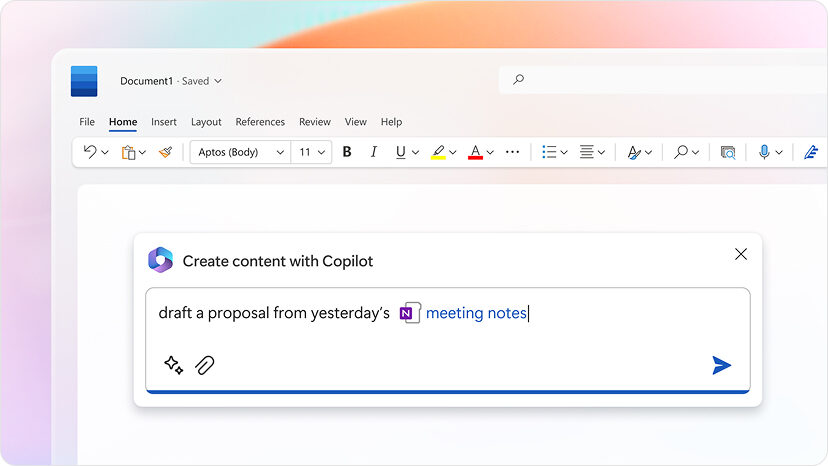
OpenCraft AI: built for owners who want one tool that works. OpenCraft AI is the option designed for business operators, not for general audiences. It keeps your context across sessions, so you stop re-explaining your business on a Tuesday morning. It works on pay-as-you-go credits, no subscription, no caps, and credits that never expire (opencraftai.com, verified 2026-08-28). The tradeoff: it is newer than ChatGPT and Claude, so the third-party ecosystem is smaller.
If you are tired of re-prompting and re-explaining, try the twenty-minute shortcut: Try OpenCraft AI with 100 free credits, no subscription, no setup course. See if it remembers you better than your current tab does.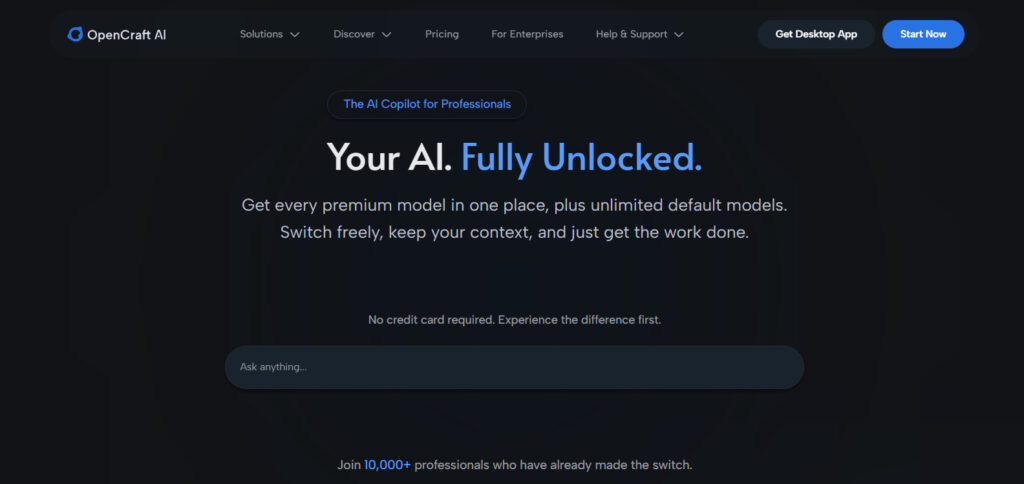
Why Most General Purpose AI Still Stalls on Real Work
Every chat-style tool makes the same promise and then hands the work back. There are four stalls, and you have felt all four even if you never named them.
Stall one: it skips steps. The draft is close, so you type “make it better,” and it makes it longer instead of sharper. You re-prompt three to five times per deliverable. That is a tool skipping the step that actually moves the work forward.
Stall two: it forgets. Your business context lives in your head, not its. Every new session resets, so you rebuild your brief every single time. The tenth email gets the same shallow treatment as the first.
Stall three: it restarts. Usage windows and weekly caps (ChatGPT Plus, Claude Pro) interrupt work at the moment you need it most. Hitting a wall at a deadline is not a minor annoyance; it is the reason people quit.
Stall four: it hands the work back. The AI drafts, but you still assemble, check, and finish. If the tool saves the easy half and leaves you the hard half, the time you “saved” never shows up.
I want to be straight with you here, because I have been that person. I wrote a brief for a project, pasted it into a general tool, and got back something that read like a polite stranger wrote it. I asked for more specificity. It got longer, not sharper. I asked for it to sound like us. It apologized and tried again. Three rounds later I closed the tab and wrote the thing myself. That loop, and it is a real one, is the true cost of these tools. And again: it is not your fault.
The Difference Memory Makes (and Why It Feels Like Magic)
Everything above collapses into one sentence: chat tools start from zero, and context-aware tools start from where you left off.
Memory is the quiet feature nobody puts on the box, and it is the one that changes the daily experience. When a tool holds your client history, your writing style, and your standard processes, the requests get shorter and the results get sharper. The tenth brief comes back better than the first, because the tool has learned you.
Users of OpenCraft AI describe exactly this. One freelancer says it saves roughly two hours a day. A founder who loaded over 250 files calls it like having a co-founder who has read everything (verified testimonials, 2026-08-28).
The real number is not hours, though. It is the confidence that the draft is done well enough to send. When you trust a tool’s memory, you stop pricing in “how much will I have to fix this?” That quiet saves more than any stopwatch.
How to Choose a General Purpose AI for Business
Skip the advertising instinct. Start with one question: what is the single thing eating the most time in your business right now?
- If it is email and proposals, you need strong writing plus your voice.
- If it is losing track of calls, you need summarization and memory.
- If it is onboarding and training, you need document context that persists.
- If it is everything at once, you need a general tool that finishes work, not a specialist that wins one job.
Then run the twenty-minute test. A candidate tool should feel useful within twenty minutes, no setup course required. If the first session is a struggle, the habit dies before the month ends. That setup tax is the hidden cost of every “powerful” tool you have ever abandoned.
The Honest Tradeoff You’re Making
Every general purpose AI makes the same trade. The broader it serves everyone, the less precisely it serves you. ChatGPT and Claude are excellent tools, genuinely. They were built for millions of people in millions of ways, which means they need you to do more of the directing. That is fine if you enjoy tinkering. It is a time sink if you do not.
OpenCraft AI closes the gap by being opinionated. It makes choices about proposal structure, summary content, and how to phrase a hard client email. Choices a general-purpose tool leaves to you. The trade is real: a little less flexibility for a lot less setup.
The honest version includes the flip side. No single tool is right for every business owner. If you love hands-on prompting and want maximum control, a general default like ChatGPT or Claude is a fair fit. If your business lives inside Google or Microsoft, start with their native option. If you are tired of tools that take more effort than the work they replace, test a focused assistant. Twenty minutes tells you if it fits.
What Business Owners Actually Complain About
Here is what owners say in real threads about their general-purpose AI (Reddit workflows, G2, Capterra-style reviews):
- Rate limits and windows interrupt real work at deadlines.
- Output sounds generic and reads like everyone else’s newsletter.
- Re-prompting loops eat the time AI is supposed to save.
- Subscriptions pile up: two or three tools paid for, one actually used.
- Every session starts from zero, so the tool never “knows” them.
Notice that none of these are user errors. They are tool-design choices. A beginner does not need better prompting; they need a tool that starts from where they left off.
Frequently Asked Questions
What is general purpose AI?
General purpose AI is software trained to handle many kinds of work rather than one narrow task. It can draft, summarize, research, plan, and explain. ChatGPT, Claude, Gemini, and Copilot are examples. It works like a generalist who has read a lot, not a specialist with a single trick.
Is ChatGPT the same as general purpose AI?
ChatGPT is one example of general purpose AI, not the whole category. It is built to serve everyone broadly. Other general purpose tools such as Claude, Gemini, and Copilot have different strengths, and some are built specifically for business owners rather than for general audiences.
Which general purpose AI is best for a small business?
There is no single best one for everyone. ChatGPT and Claude are strong defaults. Gemini and Copilot help only if you already live inside Google or Microsoft. OpenCraft AI is the option built for business owners who want one tool that retains memory and finishes work without a setup curve.
Do I need to learn prompt engineering?
No. Prompt engineering is a workaround for tools with weak memory and weak defaults. Tools that keep your context and make sensible choices reduce or remove the need for it. If you are re-prompting five times per task, the tool is creating the setup work you are paying to avoid.
Is a general purpose AI safe with my client data?
Safety varies by vendor, so you have to check each one. Start with your business needs: avoid pasting confidential client data into tools with unclear storage terms. Most serious providers document how data is used and offer controls. Treat data handling as part of the buying decision, not an afterthought.
Can I just stick with the free version of ChatGPT?
You can, for light use. The free tier has no web access and tight limits, and most business work hits those walls quickly. If a tool interrupts your day at a deadline, the free tier costs more than it saves. That is the point where a paid or pay-as-you-go option becomes worth it.
What is the difference between a general purpose AI and an agent?
A general purpose AI answers and drafts. An agent takes a goal and carries out the steps to finish it, sometimes across tools. The distinction matters because plain chat tools often hand work back to you midway, while agent-style tools complete more of it. Look for tools that finish, not ones that stall.
How much does a general purpose AI cost?
ChatGPT Plus is $20 a month with usage limits. Claude Pro runs $17 to $20 a month with session caps. Gemini and Copilot are tied to Google and Microsoft plans. OpenCraft AI works on pay-as-you-go credits with no subscription, no caps, and credits that never expire. Prices shift, so check vendor pages before you buy.
I only know ChatGPT. Where do I start?
Pick the single task that eats the most time in your business, then test the cheapest tool that does that one job well. If a tool needs heavy setup or repeated prompting, the setup tax kills the habit. The right general purpose AI for you is the one you keep using a month from now without coaching.
Where to Start
You did not fail at AI. You just used a tool built for everyone, and it behaved accordingly. The fix is not more effort and not a course. You don’t need to learn AI; you need a tool that starts from where you left off and finishes the job.
Try this sequence:
- Name the one task eating the most time this week.
- Test the simplest tool that does that job. No setup course.
- Run the twenty-minute check. If it feels useful fast, keep it. If you are fighting it, that is the tool’s design, not your fault.
- Let memory do the remembering. Stop re-explaining your own business every session.
Most owners who try OpenCraft AI say the same thing: it removes the ten-minute setup tax that makes other AI feel like work before the real work starts. For people already stretched thin, that is the whole ballgame.
Start with 100 Free Credits, no setup required.