If you’re looking for an AI that’s better than ChatGPT, I have good news and bad news. The bad news: there’s no single AI that beats ChatGPT at “everything.” And that INCLUDES OpenCraft AI. The good news: for specific tasks, several tools beat ChatGPT by a wide margin.
In this article, we’ll compare 10 AI alternatives too.
Anyway… ChatGPT is still the best “general-purpose AI” for most people.
Let’s say you have a flat tire and you have absolutely no idea what to do, you can click a few pictures and ask ChatGPT for help. I got stuck once and it helped me. More on this later in the article.
The same way, I was preparing a guestlist and a menu for a wedding reception. I had to write things down because 7 of us were discussing it. All I needed to do was take screenshots in the end and ChatGPT got everything sorted for us to send to our vendors.
BUT, when it comes to PROFESSIONAL, SERIOUS work, the very first thing I do is use models like Claude, MiniMax and GLM 4.7 within OpenCraft AI. I work with them, so I prefer using it too.
If you’re doing research, analyzing audio files, writing long-form content, or pulling real-time social data, you’re leaving performance on the table by sticking with ChatGPT alone.
Here’s what I found.
Part One
The Problems With ChatGPT When It Comes To Serious Work
If you’re like me and most people, you signed up for ChatGPT during 2022 because everyone said it was hot and the best AI. At that time it was the best AI around, and still for general tasks, it is.
But now, if you try to use it for something specific, like analyzing a 50-page PDF, or writing a technical article, or researching a niche topic, it always falls short.
Maybe it hallucinated facts. Maybe it gave you generic, surface-level answers. Maybe it just couldn’t process the file you uploaded.
So you started wondering: Is there a better AI out there?
This article will be the best thing you’ll ever read if you have that question.
After testing 10 tools over 3 months, here’s what I learned:
Claude Follows Instructions Better
Especially for long, specific prompts with formatting requirements, Claude outperforms ChatGPT consistently.
Gemini Analyzes Audio and Video
ChatGPT can’t process these file types at all, while Gemini handles them natively.
Perplexity Researches With Citations
Built as an answer engine with real-time citations, while ChatGPT’s web search gives shallow summaries.
Grok Pulls Real-Time X Data
The only AI with direct, real-time access to the live X (Twitter) firehose that no other AI can access.
The problem isn’t that ChatGPT is bad. The problem is that you’re using a generalist tool for specialist work.
Part Two
What Happens When You Use the Wrong AI
You waste hours on workarounds
Once, I spent 2 hours trying to get ChatGPT to analyze a 60-minute meeting transcript.
I uploaded the file, got an error. I tried a different format. Got a partial transcript with no analysis. I tried breaking it into smaller chunks. Same result.
Then I uploaded the same file to Claude. In 3 seconds, I had a full transcript, key insights, and actionable recommendations that would match what a MBB consultant would prepare.
Was ChatGPT “bad”? No. It just wasn’t built for that task.
Remember the flat tyre example? It was on a lonely highway with poor internet, and me and my friend were the only people in a 5 km radius. I’ve never changed a tire before but still, ChatGPT was helpful.
Stop Juggling Tabs — Try OpenCraft AI Free
You get generic output that sounds like AI
ChatGPT is trained to be helpful to everyone. That’s both its strength and its weakness.
When I asked ChatGPT to “write a sales email for my SaaS product,” I got this:
“Unlock the power of [product] to streamline your workflow and boost productivity…”
When I asked Claude inside OpenCraft AI the same question, with the same context, I got this:
“Your team is spending 12 hours/week on manual data entry. Here’s how [product] cuts that to 2 hours…”
One sounds like a template. The other sounds like someone who understands my business.
You hit daily limits at the worst possible time
Have you ever been in flow state, cranking out work with Claude, when suddenly you hit your daily message limit?
Now you have two choices: wait until tomorrow and lose momentum, or switch to ChatGPT and accept lower-quality output for that specific task.
Neither option is good.
You pay for multiple tools but only use 20% of each
Most AI power users don’t use just one AI. They use 3 to 5.
| Service | Monthly Price | Notes |
|---|---|---|
| ChatGPT Plus | $20/month | Standard individual subscription. |
| Claude Pro / Max | $20 / $100+ | Pro is $20/month. “Max” tiers exist for power users/heavy usage. |
| Gemini Advanced | ~$20/month | Typically $19.99/month (bundled with Google One AI Premium). |
| Perplexity Pro | $20/month | Standard Pro subscription. |
That’s $80/month–$160/month if you want access to the best tool for each task.
And you’re probably only using a fraction of each tool’s features because switching between them breaks your workflow.
Monthly Cost (Multiple Tools)
Feature Utilization
Tools Used by Power Users
Part Three
The Solution: Match the AI to the Task
After 3 months of testing, I found two approaches that work.
Approach 1: Use specialized tools for specialized tasks
This is what most AI power users do. They’ve accepted that no single AI is best at everything, so they use different tools for different jobs.
| Task | Best AI | Why |
|---|---|---|
| General chat, brainstorming | ChatGPT | Best conversational flow, reliable reasoning, massive ecosystem of custom GPTs. |
| Writing, editing, instructions | Claude | Superior “steerability,” more natural prose, follows complex formatting constraints perfectly. |
| Research, fact-checking | Perplexity | Built as an answer engine; provides real-time citations and lets you toggle between models. |
| Audio/video analysis | Gemini | Natively multimodal; processes raw video and audio streams directly. |
| Real-time social data | Grok | Only AI with direct, real-time access to the live X (Twitter) firehose. |
| Coding, documentation | Claude | “Projects” and artifact handling are best-in-class for technical workflows. |
| Google Workspace | Gemini | Deep, native integration with Docs, Gmail, Drive, and Sheets. |
| Microsoft 365 | Copilot | Seamlessly integrated into Word, Excel, Outlook, and Teams. |
You’re juggling multiple tools, paying $80+/month, and constantly context-switching.
Approach 2: Use one platform that gives you multiple models
Instead of paying for ChatGPT, Claude, Gemini, and Perplexity separately, some platforms give you access to multiple models in one interface.
I tested OpenCraft AI, which offers access to GPT, Claude, Gemini, Grok, and more for $25/month.
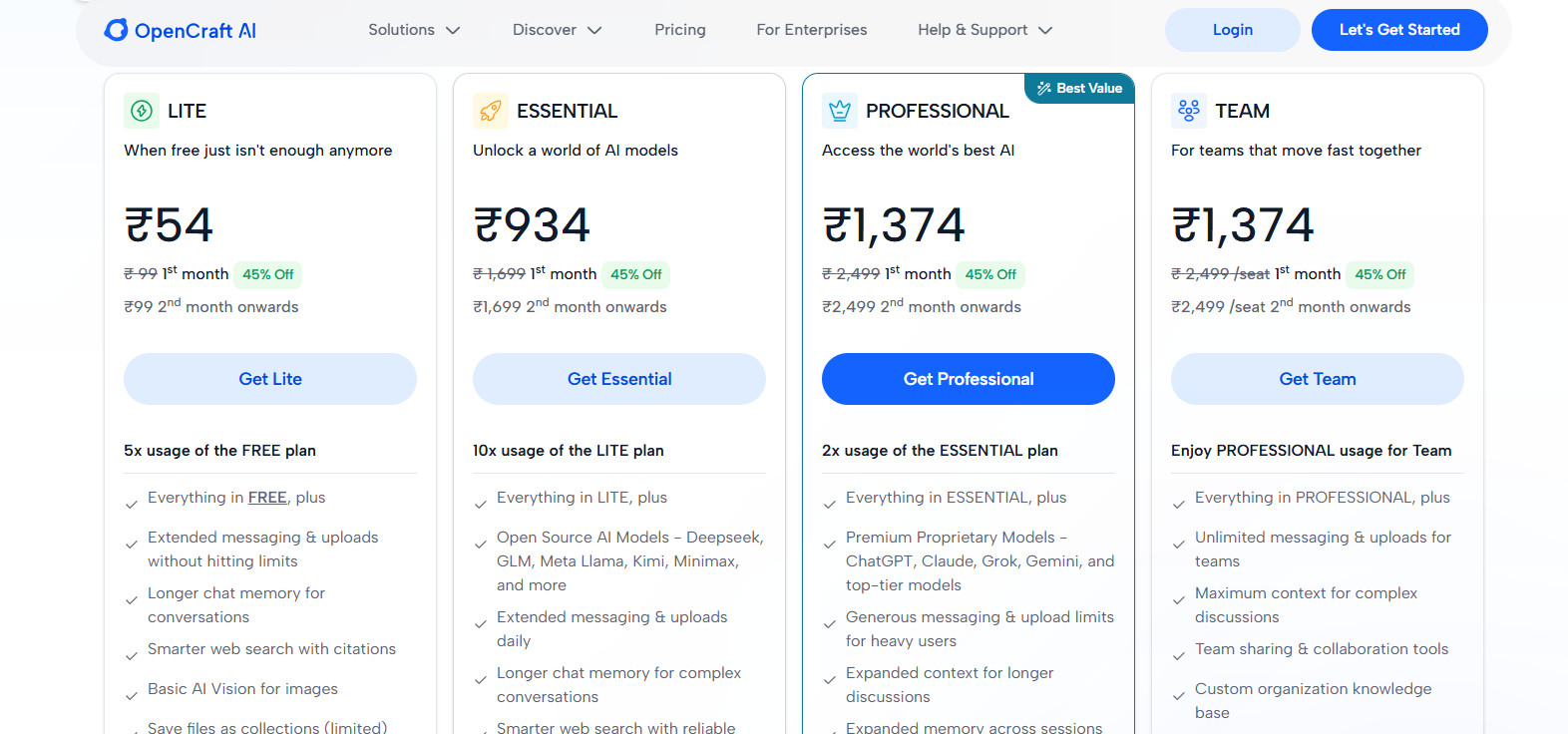
Here’s what I found:
What Works Well
One Login, All Models
Start a conversation with Claude for writing, switch to Gemini for research, then use GPT for brainstorming, all in the same session.
What Works Well
Persistent Memory
Remembers your preferences and past conversations across sessions.
What Works Well
No Daily Limits
Unlike Claude Pro, which caps you at roughly 45 messages per 5 hours, OpenCraft removes this constraint.
Watch Out For
Newer Platform
Less brand recognition than ChatGPT or Claude. Requires learning a new interface (though it’s intuitive).
If you regularly use multiple AI models and are tired of context-switching, rate limits, hallucinations, and uploading documents to 5 different tools, YES. Check it out.
Or, if you only need ONE AI tool with integrations for almost everything, go with Claude. (You’ll hit rate limits soon enough to check out OpenCraft, where you get the same flagship Claude models WITHOUT RATE LIMITS.)
Part Four
How to Choose the Right AI: 3 Questions
Question 1: What’s your primary use case?
| If You Need… | Use… |
|---|---|
| General conversation, brainstorming, voice mode | ChatGPT |
| Writing, editing, detailed instructions | Claude |
| Research, fact-checking, cited sources | Perplexity |
| Audio/video analysis | Gemini |
| Real-time X/Twitter data | Grok |
| All of this in one place | Aggregators (e.g., OpenCraft AI) |
Question 2: What ecosystem are you in?
| If You Use… | Use… | Why |
|---|---|---|
| Google Workspace (Docs, Gmail, Drive) | Gemini | Native integration; summarize emails, pull data from Sheets, edit Docs without leaving the window. |
| Microsoft 365 (Word, Excel, Outlook) | Copilot | Built into the ribbon menu; understands enterprise data, meeting transcripts, and complex formulas. |
| X (Twitter) heavily | Grok | Direct, real-time access to the live X firehose; tells you what’s trending right now. |
| WhatsApp, Instagram, Facebook | Meta AI | Seamlessly integrated into apps; summon in group chats or DMs without switching apps. |
| Mixed ecosystem | OpenCraft AI | Central “command center”; bring files into one workspace and switch between models. |
Question 3: What’s your budget?
| Budget | Best Option |
|---|---|
| Free only | ChatGPT free tier + Gemini free tier + Perplexity free tier |
| $20–25/month | AI Aggregator (e.g., OpenCraft AI, Poe, or TypingMind) |
| $40–50/month | AI Aggregator for iteration & brainstorming + Claude Pro for final output |
| $80+/month | AI Aggregator for iteration & brainstorming + Claude Max/Advanced for final output |
Part Five
Choosing The Right AI Is Finding Which One’s “Better For A Specific Task”
I’ve been deep into AI for about 7 months now, testing multiple tools. Here’s my honest conclusion:
There is no single AI that’s better than ChatGPT for everything.
ChatGPT is still the best general-purpose AI for most people. But for specific tasks, other tools perform significantly better:
Writing
Claude
Better for writing and following instructions with natural prose.
Multimedia
Gemini
Better for audio/video analysis with native multimodal processing.
Research
Perplexity
Better for research with real-time citations and source verification.
Social Data
Grok
Better for real-time X data with direct firehose access.
All-in-One
OpenCraft AI
Better if you want all of the above in one place without rate limits.
The real question isn’t “Which AI is better?” The real question is: “Which AI is better for what I’m trying to do right now?”
Part Six
My Recommendation For Which AI Is Better Than ChatGPT
If you’re tired of juggling multiple AI tools and paying $80+/month, consider using a platform that gives you access to multiple models in one interface.
OpenCraft AI offers GPT, Claude, Gemini, Grok, and more for $25/month, with persistent memory and no daily limits. Try it free and see if it works for your workflow.
If it doesn’t, you can always go back to separate tools. But if it does, you’ll save time, money, and frustration.
Unlock All Premium AI Models – Start Free
Part Seven
Quick Comparison: All 10 AI Tools
| AI Tool | Best For | Pricing | Daily Limits |
|---|---|---|---|
| ChatGPT | General chat, voice, data analysis | Free; $20/month Plus | Yes (Dynamic caps) |
| Claude | Writing, editing, technical tasks | Free; $20/month Pro | Yes (Varies by load) |
| Gemini | Audio/video, Google ecosystem | Free; ~$20/month Advanced | Yes (Dynamic caps) |
| Perplexity | Research, citations, search | Free; $20/month Pro | Yes (Advanced models) |
| Copilot | Microsoft 365 integration | Free; $20/month Pro | Yes (Varies) |
| Grok | Real-time X/Twitter data | ~$16–$30/month | Yes (Rolling quotas) |
| Meta AI | Social media integration | Free | No (Fair use) |
| OpenCraft AI | Aggregating multiple models | Free; ~$25/month full | Yes (API-dependent) |