The average blog post takes three hours and 48 minutes to write. That is the figure Orbit Media’s 2025 blogging survey has tracked for more than a decade. It barely moves, even though the tools change every six months.
What Content Automation Actually Involves
Content automation means handing steps of the publishing pipeline to a machine. The pipeline has five steps: choosing what to write about, drafting, rewriting into the right voice, formatting, linking, and adding metadata, and publishing or scheduling.
Every method below automates a different slice of those five. Some automate one step. Some automate all five and leave only the approval human.
One number tells you whether your setup works: the time from topic to publish-ready draft, measured on real work. Measure it before you automate. Measure it again a month later. If it dropped, you built something. If it is flat, you moved the work around. The ROI guide shows how to run that measurement without turning it into a second job.
The Six Ways to Automate Content in 2026
Each family gets its own section: what it is, what it costs, and who it is for.
No-Code Workflow Automation: n8n, Zapier, Make
This is the oldest method and the one most tutorials teach. You build a visual workflow: a trigger, some steps, a call to the model, a publish action.
A typical build: Airtable holds the briefs. When a row moves to “In progress,” n8n calls the model API with your prompt. The draft lands in Google Docs. After approval, a step pushes it to WordPress through its REST API.
What it costs. Zapier charges per task. A multi-step content flow can burn a dozen tasks per post, so the bill grows with volume. n8n is self-hostable and more predictable, but you run the server and own the upgrades. Make sits between the two. The model API is on top of all of it.
Who it is for. A team with a developer, one stable content format, and enough volume that the setup pays for itself. Who it is not for. Anyone without a developer. Connectors break, schemas change, and prompts go stale when the model updates. Without someone to own the wiring, this method becomes a part-time job.
Agentic Coding Tools Used for Content: Claude Code, OpenAI Codex
Claude Code and Codex are coding agents, and in 2026 they are one of the fastest-growing routes to content automation. That is not a coincidence.
Both work by reading a project folder, executing multi-step commands, and writing files. Claude Code reads a CLAUDE.md instruction file. Codex reads AGENTS.md. You can script a content pipeline inside either one: generate an outline, write each section to a file, call a CMS API, and commit the result.
The market reaction tells you this is real. Codex went from about 5% of Claude Code’s usage in September 2025 to roughly 40% by January 2026, then past two million weekly active users by March 2026. OpenAI folded Codex into the ChatGPT desktop app in July 2026, and reporting on Codex’s growth curve in 2026 pointed to competitive pressure from Claude Code as a driver. This is where much of the real automation is happening right now.
What it costs. Model usage plus your time configuring the agent. No per-task fees, and no subscription beyond the model.
Who it is for. People who are comfortable in a terminal and can describe a workflow as a set of written instructions. If that is you, this is the most flexible method there is. Who it is not for. Anyone who wants a polished interface and someone else to handle the moving parts. These are developer-shaped tools wearing a thin agent skin.
Autonomous Coworker Agents: Claude Cowork, Microsoft Copilot Cowork
Claude Cowork is Anthropic’s autonomous agent. It runs in a sandboxed desktop environment, plans multi-step work in a project folder, and operates over longer stretches without you driving each step. Microsoft’s Copilot Cowork, unveiled in March 2026, is built directly on Claude Cowork.
For content, a coworker agent goes one step past a workflow. You give it a topic. It decides the plan, does the research, drafts, and writes the file. You review the file and approve.
What it costs. A subscription plus model usage. Pricing changes quickly, so check the vendor page before trusting any number in any article, this one included.
Who it is for. Operators who want autonomy without building visual workflows or writing terminal scripts. You stay in review and the agent stays in execution. Who it is not for. Teams that need hard approval gates inside the run, or guaranteed outputs shaped to a strict format every time. You get more autonomy and less determinism than an n8n pipeline.
Open-Source Agent Frameworks: Hermes, CrewAI, the Auto-GPT Class
The fourth way is building your own agent from a framework. Hermes Agent, from Nous Research, is an open-source, self-improving agent. CrewAI and the Auto-GPT lineage sit in the same category: code you shape into whatever workflow you need.
This is the most flexible method and the least finished. You are assembling a system from parts, and you own every failure mode.
What it costs. Free software, your compute, and your time. The real price is the engineering hours.
Who it is for. A team building automation as a product, or doing research on an agentic workflow they plan to run at scale. Who it is not for. A marketing team that wants drafts this month. This path is a project, not a tool.
All-in-One Content Copilots with Persistent Memory
The fifth family is the hosted product that runs the whole brief-to-draft loop and remembers your work between sessions. It holds your files, your voice rules, and your history in one place. You write the brief. It returns a publish-ready draft with internal links and a meta description. Your review is a pass rather than a rebuild.
The thing that separates this family is memory. Most blank-prompt products reset every session. A memory-bearing copilot compounds your corrections into the next draft. That is the difference between a tool you tune once and a tool you re-explain every morning.
Before you pick one, two checks matter. The draft only improves if the voice is written down with real examples, which the brand-voice guide covers start to finish. And a specific 50-word brief with hard constraints beats 500 words of vague direction, which is the core of how to avoid generic ChatGPT output.
What it costs. Pay-as-you-go or subscription, typically without per-task fees.
Who it is for. Founders and small teams who want the hours back and do not want to own infrastructure. Who it is not for. Companies with strict data-residency requirements that cannot use a hosted service.
Plain Prompting on the Model Itself
The sixth method is the one everyone has already tried: opening ChatGPT, Claude, or Gemini and asking for a draft.
Plain prompting does not automate anything. The chat window has no memory of your voice, no standing instructions, and no pipeline. Every post is a brand-new conversation, and the time you save on drafting comes back as time spent re-explaining who you are.
Who it is for. A first experiment to see what the model can do. Who it is not for. Anyone shipping content on a schedule.
Which Method Do You Actually Pick
The decision is about which cost you can carry, not which tool is newest.
One stable format and a developer on staff: pick no-code workflow automation. Comfortable in a terminal and you want maximum flexibility: pick Claude Code or Codex. You want autonomy without scripts: pick Claude Cowork. You are building a product out of automation: pick Hermes or CrewAI. You want the hours back without owning anything: pick an all-in-one copilot with memory.
If you are not a developer and you publish regularly, the honest answer is the last one. The workflow needs maintenance. The coding agents need a terminal. The frameworks need engineers. The copilot needs one thing from you, a review.
There is a warning buried in that list. Adding tools does not remove work by itself, and juggling five products is its own tax. The research on juggling AI tools is worth reading before you decide you need three of these at once.
Where OpenCraftAI Fits In
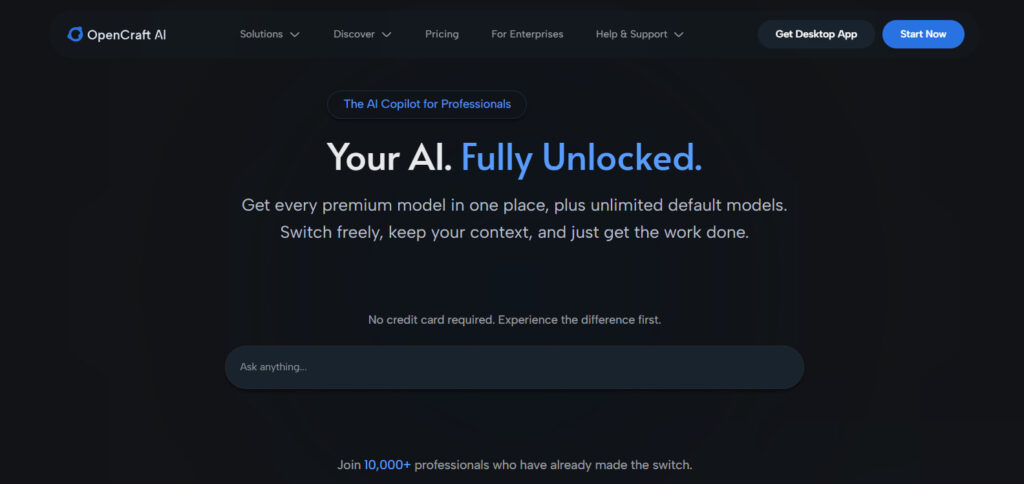
OpenCraftAI is built for the group above: people who want the hours back and do not want to run infrastructure. It is the all-in-one copilot from method five, with the same honest boundary every method needs.
It holds your files, voice rules, and history in one place, so context does not get lost between steps. It swaps the model underneath without you rewiring prompts. It drafts in your voice and adds the internal links, so your review is a pass and not a rebuild. It is pay-as-you-go, with no per-task fees.
The boundary applies to us as much as anyone. You check facts. You make the final call. You approve before publish. What you do not do is maintain the wiring.
If you are weighing this against a stitched pipeline, the honest look at agentic SEO draws the line between what AI can and cannot run. If you are worried about depending on any single vendor, why the open-weight argument matters in 2026 and the open-weights paradox explain the risk to plan around.
FAQ
Do I need a developer to automate content?
Only for the first three methods. No-code workflows, coding agents, and agent frameworks all need engineering skill. All-in-one copilots do not.
Which method is cheapest?
Plain prompting is cheapest and does the least. Self-hosted n8n is cheap at scale but eats your time. Hosted copilots cost per use and need no infrastructure.
Can any method keep my brand voice consistent?
The ones with memory can, and only if you write the voice down with examples first. Every method fails at voice if the voice was never defined.
Where should automation stop?
At facts, numbers, and final approval, in every one of these methods.
Is Claude Cowork better than an all-in-one copilot?
They solve different problems. Cowork gives you an autonomous agent you direct. A copilot with memory is built around your publishing workflow. Both beat a stitched pipeline if you have no developer, but they are not interchangeable.
How long until I can trust a draft?
Usually three clean runs with light edits. If it takes longer, tighten the brief and add examples before blaming the tool. That rule holds across all six methods.
The Short Version
Six methods exist in 2026: workflow automation, coding agents, coworker agents, agent frameworks, all-in-one copilots, and plain prompting. For a team with no engineers, only three are realistic.
The setups that survive month two share one trait. They remember your voice and your files, and they keep a human at the final check.
Start with 100 free credits and automate your first post today.