| What You’ll Learn | Time Required |
|---|---|
| Where to collect reviews and how many you need | 2–3 hours (collection) |
| The exact prompts to find pain points and frequencies | 5 minutes per step |
| How to extract positioning angles from complaints | 5 minutes |
| When ChatGPT works and when to switch to OpenCraft AI | Read below |
In This Guide
Most people analyze customer reviews with ChatGPT, get generic output, and give up. You upload 200 reviews and ask, “What are the main pain points?” ChatGPT gives you a vague summary with no specifics, no quotes, no frequencies. Or you ask it to rank pain points, and it hallucinates numbers. “60% of users mentioned slow onboarding” when only 18% actually did. I made all these mistakes. And I almost gave up. Then I figured out the right workflow, and more importantly, the right tool.
Why People Search “How to Analyze Customer Reviews with ChatGPT” (and What They’re Really Looking For)
If you’re searching this, you’re probably in one of these situations:
You just launched a product and got flooded with reviews
You have 500+ reviews and no time to read them all. You need to know what’s working, what’s broken, and what to fix first.
You’re about to build a new feature and need to validate demand
Before spending weeks building something, you want to know if customers actually want it. The fastest way? Analyze reviews to see if anyone’s already asking for it.
You’re rewriting marketing copy and need real customer language
You’re tired of guessing what messaging will resonate. You want to use the exact words customers use to describe their problems and desired outcomes.
Your competitor is crushing you and you need to know why
You want to analyze competitor reviews to find out what their customers love (so you can match it) and what they complain about (so you can exploit it).
Here’s what you should conclude after reading this guide
ChatGPT can organize reviews and find patterns, but it hallucinates, struggles with math, and gives vague output. OpenCraft AI (with Claude) gives you deeper analysis, no rate limits, and the ability to cross-check insights across multiple models. If you’re doing this once, ChatGPT works. If you’re doing it monthly — or want to combine review analysis with other marketing and sales data — use OpenCraft AI.
Where to Find Customer Reviews (and How Many You Need)
Before you can analyze reviews, you need to collect them. Here’s where I generally find reviews depending on the client:
| Use Case | Source | Why |
|---|---|---|
| B2B SaaS Software | G2, Capterra, TrustRadius | G2 has the most detailed reviews with pros/cons/pain points. Capterra is good for SMB. TrustRadius covers enterprise. |
| E-Commerce Product | Amazon, Shopify | Product reviews, customer photos, Q&A |
| Social Listening Community | Snitchfeed, Reddit, Twitter/X | Tracks what competitors and your ICP are posting in real time |
50+ Minimum to spot patterns
200–500 Ideal for validated insights
1,000+ For mature products or deep competitor digs
I typically collect 200–300 reviews for analysis. That’s enough to find clear patterns without drowning in data. Collecting reviews takes hours because it’s manual and scattered across sources. But once you have them, AI can organize and analyze them in 15 minutes.
Step-by-Step: How to Analyze Customer Reviews with ChatGPT
Here’s my exact workflow for turning 200+ reviews into 5 actionable insights in 15 minutes.
Collect Reviews (2–3 hours)
I instruct 2 VAs to copy-paste reviews from G2 (B2B SaaS), Appsumo (if applicable), Amazon or Shopify (e-commerce), and interview transcripts (if available). They paste everything into a Google Doc. Aim for at least 200 reviews for meaningful analysis.
Pro tip: If you’re analyzing competitor reviews, focus on 3-star and 2-star reviews. These contain the most detailed complaints and feature requests. 5-star reviews are usually vague (“Great product!”). 1-star reviews are often outliers. For deeper competitive research, see the best AI tool for competitor research.
Upload Reviews to OpenCraft AI (5 minutes)
I used to use ChatGPT for this. Big mistake. ChatGPT would give me generic summaries, hallucinate frequencies, and struggle with large datasets. Plus, I’d hit rate limits if I asked more than a few follow-up questions. Now I use OpenCraft AI with Claude — here’s a full breakdown of Claude vs ChatGPT for complex tasks.
Why Claude? Better at nuanced analysis (understands context, doesn’t miss subtle patterns). Better at math (ranks pain points by actual frequency without hallucinating). No rate limits — with OpenCraft AI, I can ask 50+ follow-up questions without getting locked out.
Here’s my first prompt:
Prompt
“Analyze these 200 customer reviews. Group them into themes based on what customers complain about most. For each theme, tell me: (1) How many times it was mentioned, (2) The percentage of reviews that mention it, (3) 2–3 direct quotes.“
Why this works: You’re asking for specific output — themes, frequency, percentage, quotes. This forces the AI to quantify patterns instead of giving vague summaries.
Output example:
| Theme | Mentions | Percentage | Quotes |
|---|---|---|---|
| Slow onboarding | 47 | 23.5% | “Took me 2 weeks to figure out,” “Onboarding is confusing” |
| Expensive pricing | 38 | 19% | “Too expensive for small teams,” “Pricing doesn’t make sense” |
| Limited integrations | 34 | 17% | “Doesn’t connect with QuickBooks,” “Need Zapier integration” |
| Buggy mobile app | 28 | 14% | “App crashes constantly,” “Mobile version doesn’t work” |
| Slow customer support | 22 | 11% | “Waited 3 days for a reply,” “Support is unresponsive” |
Quick Win
Try this prompt right now. Copy 50–100 reviews, upload to OpenCraft AI (or ChatGPT if you’re testing), and see results in 5 minutes.
Find Pain Points and Rank by Frequency (5 minutes)
Now I ask Claude to rank pain points by severity.
Prompt
“Based on these themes, rank the top 5 pain points by frequency. For each pain point, tell me: (1) Why it matters to customers, (2) What they wish the product did instead, (3) Which customer segment complains about it most (if you can infer from the reviews).“
Why this works: You’re not just asking for a list. You’re asking Claude to synthesize WHY each pain point matters and WHAT customers want instead. This gives you positioning angles, not just complaints.
1. Slow onboarding (23.5% of reviews)
Why it matters: Customers are busy. If they can’t get value in 5–10 minutes, they churn.
What they want instead: Guided onboarding flow, video tutorials, pre-built templates.
Who complains most: Small business owners, freelancers (not enterprise users with dedicated onboarding teams).
2. Expensive pricing (19% of reviews)
Why it matters: Pricing doesn’t match perceived value. Customers feel like they’re paying for features they don’t use.
What they want instead: Usage-based pricing, cheaper starter plan, transparent pricing (no hidden fees).
Who complains most: Startups, solo founders, early-stage companies.
3. Limited integrations (17% of reviews)
Why it matters: Customers use 5–10 tools. If your product doesn’t integrate, it creates extra work.
What they want instead: Native integrations with QuickBooks, Xero, Stripe, Zapier.
Who complains most: Accountants, finance teams, operations managers.
Extract Positioning Angles (5 minutes)
This is where it gets interesting. I ask Claude to find positioning angles I can use for marketing, product development, or competitive differentiation.
Prompt
“Based on these pain points, tell me: (1) What do customers wish this product did better? (2) What messaging angles can I use to differentiate my product? (3) What features should I prioritize building?“
Why this works: You’re turning complaints into opportunities. This is how you find product-market fit gaps. Once you have your angles, you can feed them directly into your ad strategy — here’s how to use AI for Meta Ads setup without creating generic slop.
Messaging angle 1: “Get value in 5 minutes, not 5 days”
Insight: 23.5% of customers complain about slow onboarding.
Opportunity: Position your product as “the easiest [category] tool to get started with.”
Messaging angle 2: “Pay for what you use, not what we think you need”
Insight: 19% of customers feel pricing doesn’t match value.
Opportunity: Offer usage-based pricing or a cheaper starter plan.
Messaging angle 3: “Works with the tools you already use”
Insight: 17% of customers want better integrations.
Opportunity: Build native integrations with QuickBooks, Xero, Stripe, Zapier.
Cross-Check with Multiple Models (Optional, 5 minutes)
One of the biggest advantages of OpenCraft AI is multi-model access. I upload the same reviews to Claude, GPT, and Gemini and ask each one a different question. To see how this works without losing your thread, read how to use ChatGPT and Claude together without losing context.
- Claude: “What are the top 5 pain points?”
- GPT: “Do you agree with Claude’s analysis? What might it have missed?”
- Gemini: “What creative positioning angles can we create from these pain points?”
Example
Claude found “slow onboarding” as the #1 pain point. GPT agreed but added, “15% of users also mention ‘no mobile app’ which Claude didn’t flag as a top 5.” Gemini suggested, “What if you positioned this as ‘the only [tool] you can set up on your phone in 5 minutes’?” Without cross-checking, I would’ve missed that angle.
Two Advanced Prompts Most People Skip
Sentiment classification by review: After you’ve grouped themes, ask Claude to classify each review as positive, neutral, or negative on each dimension. This tells you whether a pain point is a dealbreaker or a mild annoyance.
Prompt
“For each theme you identified, classify the sentiment (positive / neutral / negative) of the reviews that mention it. What percentage of mentions are negative vs. neutral?“
Aspect-based analysis: Break reviews down by aspect — price, usability, support, integrations, performance. This helps product and marketing teams prioritize separately.
Prompt
“Break these reviews into aspects: pricing, usability, customer support, integrations, and performance. For each aspect, give me a sentiment score (1–10), the top complaint, and the top compliment.“
Customer journey mapping: Map complaints to journey stages — discovery, purchase, onboarding, daily usage, support. This tells you exactly where customers drop off and what to fix first.
Prompt
“Based on these reviews, map each pain point to a customer journey stage: discovery, purchase, onboarding, daily usage, or support. Which stage has the highest concentration of complaints?“
What I Learned: ChatGPT vs. OpenCraft AI for Review Analysis
I used ChatGPT for review analysis for months before switching to OpenCraft AI. Here’s what went wrong:
ChatGPT hallucinates frequencies
I’d ask, “What percentage of reviews mention pricing?” ChatGPT would say “42%” when only 18% actually did. I had to manually spot-check every output. This is part of a broader pattern — here are 7 reasons ChatGPT is not working like it used to. And if you’ve ever felt the AI was confidently walking you toward the wrong answer, here’s why AI loses the plot mid-session.
OpenCraft AI fix: Claude (via OpenCraft AI) is better at math and less likely to hallucinate. Plus, I can cross-check with GPT and Gemini to validate.
ChatGPT gives vague summaries
I’d ask, “What are the main pain points?” ChatGPT would say, “Users want better features and customer support.” That’s not actionable. See also: how to avoid generic ChatGPT output and how to make ChatGPT give honest answers.
OpenCraft AI fix: I ask Claude for specific output — themes, frequencies, quotes, positioning angles. If the output is vague, I ask Gemini for a second opinion.
ChatGPT hits rate limits
With ChatGPT Plus, I’d get rate-limited after 10–15 messages. I couldn’t ask follow-up questions without waiting 5 hours. The same problem exists on Claude’s direct plan — read why OpenCraft AI is the Claude alternative without rate limits that power users are switching to.
OpenCraft AI fix: No rate limits. I can ask 50+ follow-up questions in one session.
ChatGPT doesn’t remember context
Every time I analyzed reviews, I had to re-upload them and re-explain what I was looking for.
OpenCraft AI fix: Persistent memory. I upload my review analysis template once, and OpenCraft AI remembers it across every session. Next time I analyze reviews, I just say, “Use the same template as last time.”
| Tool | Best For | Limitations |
|---|---|---|
| ChatGPT OpenAI | One-off analysis, fast summaries of large datasets | Hallucinates frequencies, vague output, rate limits, no persistent memory |
| Claude Anthropic | Nuanced analysis, finding pain points and positioning angles | Rate limits on direct Anthropic plan |
| Gemini Google | Creative messaging ideas, fresh angles | Less precise on quantitative analysis |
| OpenCraft AI Multi-model | Recurring analysis, cross-model validation, persistent memory | Newer platform — $25/month for all models |
Why OpenCraft AI Makes Review Analysis 10X Better
ChatGPT is fine for one-off review analysis. But if you’re doing this often, or want to combine review analysis with other marketing and sales data, you need OpenCraft AI. It’s one of the best AI tools for marketing teams doing recurring audience research — and one of the most practical ways to cut spend if you’re currently paying for ChatGPT Plus, Claude Pro, and Gemini separately. See how: 11 cheaper alternatives to ChatGPT for marketing agencies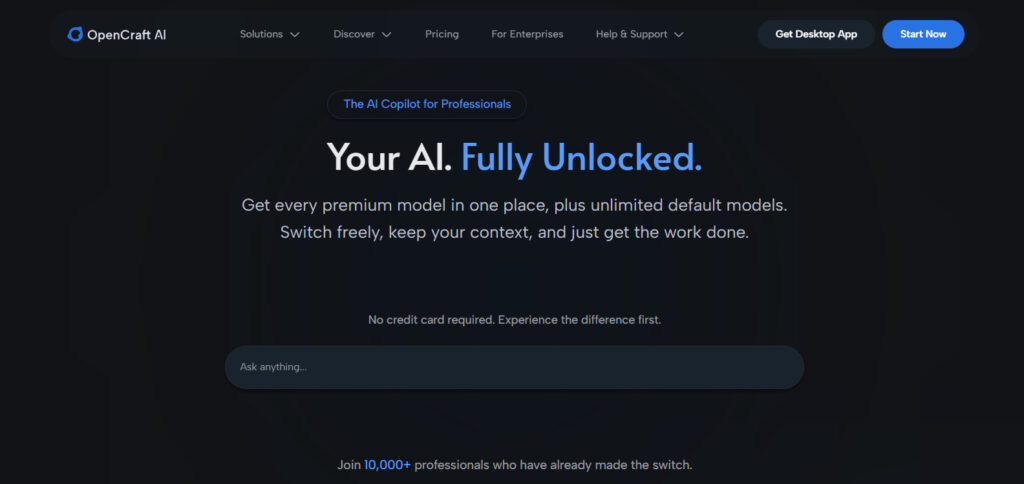
Multi-Model Access = Deeper Insights
Switch between Claude for nuanced analysis, GPT for fast summaries, and Gemini for fresh angles — all in one session. No copy-pasting between tools.
Persistent Memory = No Re-Uploading
Store your review analysis templates, customer personas, and prompting frameworks once. Session 2 just needs: “Use the same template as last time.”
Cross-Checking = Fewer Hallucinations
Ask Claude to find the top 5 pain points. Ask GPT if it agrees and what it missed. Ask Gemini for creative angles. This reduces hallucinations and surfaces insights you’d miss with a single model.
Before I analyze reviews, I upload marketing data, sales data, and user data. Then I ask Claude to tell me which pain points to prioritize based on what’s already working — not just what the reviews say in isolation.
Here’s something I learned the hard way: review analysis is 10X more valuable when you combine it with other data. Before I analyze reviews, I upload marketing data (previous campaigns, ad copy, landing pages), sales data (customer interviews, sales calls, objections), and user data (onboarding flows, feature usage, churn reasons). With OpenCraft AI’s persistent memory, you can store all this context once and reference it across every future analysis. Then use your insights to set up Meta Ads or prepare polished deliverables — here’s the workflow for selecting the right AI tool for client work.
Your Action Plan: How to Analyze Reviews Right Now
Collect 200+ reviews
Pull from G2, Capterra, Amazon, Shopify, or Reddit depending on your product type.
Upload reviews to OpenCraft AI
(Or ChatGPT if you’re just testing the workflow.)
Run the theme prompt
“Analyze these reviews. Group them into themes based on what customers complain about most. For each theme, tell me: (1) How many times it was mentioned, (2) The percentage of reviews that mention it, (3) 2–3 direct quotes.”
Run the pain point ranking prompt
“Based on these themes, rank the top 5 pain points by frequency. For each pain point, tell me: (1) Why it matters to customers, (2) What they wish the product did instead, (3) Which customer segment complains about it most.”
Run the positioning angles prompt
“Based on these pain points, tell me: (1) What messaging angles can I use to differentiate my product? (2) What features should I prioritize building?”
Cross-check with multiple models (Optional)
Ask Claude, GPT, and Gemini the same questions using OpenCraft AI and compare outputs. Want to go deeper? Read the full guide: How to Do Audience Research Using ChatGPT — covering buyer personas, interview transcripts, Jobs-to-be-Done insights, and competitor tracking.
FAQ: Analyzing Customer Reviews with ChatGPT
Can ChatGPT analyze customer reviews?
Yes, but with limitations. ChatGPT can group reviews into themes and surface common complaints. The problem is it often hallucinates frequencies and gives vague summaries without specific quotes. Use the structured prompts in this guide to force it to be specific — and cross-check outputs if accuracy matters.
How many reviews do I need to analyze with ChatGPT?
Minimum 50 reviews to spot any patterns at all. Ideal is 200–500 — enough to validate insights with statistical confidence. For mature products or competitor research, 1,000+ reviews will surface secondary patterns you’d miss with smaller sets.
How accurate is ChatGPT at analyzing customer reviews?
Accurate for grouping and summarizing, unreliable for math and frequencies. Always ask ChatGPT to show its work by providing exact counts and direct quotes alongside percentages. If you need frequency accuracy, cross-check with Claude via OpenCraft AI.
What’s the best prompt to analyze customer reviews with ChatGPT?
The prompt in Step 2 of this guide: “Analyze these reviews. Group them into themes based on what customers complain about most. For each theme, tell me: (1) How many times it was mentioned, (2) The percentage of reviews that mention it, (3) 2–3 direct quotes.” The key is asking for specific, quantified output — not open-ended summaries.
Can I analyze competitor reviews with ChatGPT?
Yes. Focus on 2-star and 3-star reviews from platforms like G2 and Capterra. These contain the most detail. 5-star reviews are usually too vague and 1-star reviews tend to be outliers. The same 5-step workflow in this guide applies directly to competitor review analysis.
Is ChatGPT or Claude better for review analysis?
Claude is better at nuanced, long-form analysis and handles math more reliably than ChatGPT. But the strongest workflow uses both — Claude for pain point ranking and positioning angles, GPT for a second opinion, Gemini for creative messaging ideas. OpenCraft AI lets you do all three in one session without switching tabs or hitting rate limits.