If you work in a GTM team, you know the hidden currency of the job: the hour spent moving work between tools.
An SDR copies leads from the enrichment tool into the CRM, then logs every touch by hand. A marketer pastes a draft from a chatbot into a doc, then into the CMS, then into the campaign tool. A RevOps lead exports a report, cleans the columns by hand, and rebuilds it in a deck.
None of these tasks is hard. All of them are constant. The person in the middle becomes the integration layer, and the actual work, the selling and the messaging, waits.
The tools do not cause this. The structure does. Point tools own stages, and no tool owns the handoff between stages. The operator becomes the handoff.
This guide covers the AI use cases in GTM that matter for people doing the job every day: research, copy, follow-up, and reporting, with the follow-through handled by one agent. It stays grounded in what OpenCraft AI (Ocai) actually does, according to its own site, and it is honest about what it does not replace.
Why the busywork eats GTM teams first
GTM teams are measured on pipeline and revenue, but their calendars fill with stitching. The reason is structural: point tools each own one stage, and no tool owns the handoffs.
The SDR’s morning is not bad selling. It is good stitching. The lead list arrives dirty, so the SDR cleans it. The CRM needs logging, so the SDR logs. The follow-up needs context, so the SDR re-opens the last call notes.
The marketer’s afternoon is not weak copy. It is rework. The draft from the chatbot is decent, but the brand voice got lost three messages in, so the marketer rewrites it by hand.
The RevOps lead’s Monday is not bad analysis. It is data janitor work. The report is late because three source sheets have three different date formats.
The fix is a tool that runs the steps between the tools.
What Ocai does for GTM teams, according to its own site
Ocai is an AI agent built by OpenCraft AI. The product pages describe four capabilities that matter for daily GTM work.
First, execution. The site says Ocai runs real code, real files, and real tools inside an isolated sandbox. The sandbox cannot escape and cannot delete your files, so the agent can work without putting customer data at risk.
Second, memory. Ocai keeps context across sessions. A freelance strategist quoted on the site says: “It remembers my projects now. The tenth brief comes back sharper than the first.” For an operator, that means the brand voice, the product facts, and the last conversation stay put.
Third, adaptivity. The site says Ocai runs open-weight models and switches between them when one stalls. The work keeps moving without you re-prompting.
Fourth, parallel work. Ocai can run subagents, so several tasks move forward at once. The site frames this as “more work per minute.”
The site claims 10,000+ professionals have stopped re-prompting, as of September 2026. The number is marketing; the behavior it describes is what matters: handing a task to an agent once and getting the work back finished.
These claims are testable. New users start with 100 free credits and no card required, as of September 2026, so a team can run one real task before paying anything.
The AI use cases in GTM operators can hand over
Four jobs repeat across daily GTM work, and each one is a candidate for delegation.
Research and account lists
An SDR describes the ideal customer, and the agent returns a clean list with duplicates removed and public information added, as a finished file.
The SDR reviews the list and starts the calls. The morning of assembly is gone.
Copy that keeps the brand voice
A marketer briefs the voice once, and the agent keeps it across sessions. The tenth email sequence comes back consistent with the first, because the agent remembers the tone, the product facts, and the prior feedback.
Follow-up that does not go cold
The agent drafts the third-touch message with reference to the last conversation, so the follow-up reads like a continuation. That memory is the difference between a sequence and a conversation.
Reporting that builds itself
A RevOps lead points the agent at raw data and gets back a cleaned table, a summary paragraph, and a dashboard-ready view.
The common thread is follow-through. A chatbot answers one prompt and stops. An agent runs the file work, the writing, and the formatting, and returns the finished result.
A grounded example of AI use cases in GTM
Here is a concrete example. It is an illustration, not a case study, because every team’s stack differs.
Suppose an SDR owns a list of two hundred accounts. Before an agent, the morning is: export the list, open the enrichment tool, wait, copy the columns into a sheet, remove the bad rows, write the first email, paste it into the outreach tool, and log every touch in the CRM.
After an agent, the morning is: describe the ideal customer and the offer, and get back a clean list, a first email in the brand voice, and a follow-up sequence, as finished files.
The SDR spends the afternoon on the phone, which is the actual job.
The same shift shows up for a marketer writing a launch sequence and for a RevOps lead building a weekly report. The agent removes the part of the job that was never the job.
What AI use cases in GTM look like by role
The details differ by role, and the pattern is the same.
For SDRs
The list and the log. An SDR hands over a raw account list and gets back a cleaned, enriched file ready for the CRM. The follow-up that references the last call is drafted, not started from a blank page.
For marketers
The brief and the voice. A marketer hands over a campaign brief and gets back a first draft in the brand voice, with the product facts intact and the tone consistent across every email in the sequence.
For RevOps
The data and the deck. A RevOps lead hands over three source sheets and gets back one clean table, a summary paragraph, and a dashboard-ready view, with the date formats and duplicates already handled.
Each role keeps the judgment. The agent removes the assembly.
AI use cases in GTM versus a chatbot
Most operators already have ChatGPT or Claude open. Both are useful, and this is a comparison of shapes, not a verdict on either tool.
ChatGPT and Claude are strong for a single turn: one question, one answer. ChatGPT Plus is $20 a month and Claude Pro is $20 a month, as of September 2026. They draft well. They stop after the draft, and the operator becomes the person who carries the draft through the next steps.
A chatbot is genuinely the right tool for quick questions and first drafts that will be rewritten anyway. The moment the task has steps, files, and follow-through, the chatbot becomes the bottleneck, because it stops after each answer and waits for the next instruction.
For an operator, the test is concrete. Give both tools the same three-step task and watch where each one stops. A chatbot stops after step one and asks what is next. An agent runs all three and returns the file.
Where Gong and ZoomInfo fit in AI use cases in GTM
Some tools in the GTM stack are complements, not competition. Gong reads customer conversations and surfaces what is happening in deals. ZoomInfo provides the account data to build lists from.
Ocai does not try to replace either. It sits between them. Gong surfaces an insight from a call, and the agent turns that insight into the follow-up email and logs it. ZoomInfo provides a list, and the agent cleans it, enriches it, and formats it for the CRM.
This matters for buyers who worry an agent will collide with tools they already paid for. It will not. The agent reads from those tools and writes back to the CRM, and the stack keeps doing its job.
The stack stays. The stitching goes.
Signs a task should stay manual
An agent is useful for the busywork. It is the wrong tool for the calls.
Keep the decisions with the team. The offer, the pricing, the choice of which accounts to prioritize, the final word on any message that goes to a real prospect. Those are judgment calls, and handing them to an agent is how teams ship polished mistakes.
Keep the customer conversations with people. An agent can draft the follow-up. It should not be the one having the conversation.
Keep the data strategy with people. The agent can clean a list. It cannot decide what data matters to the funnel.
The split is simple: delegate the steps, keep the calls.
The honest boundary of AI use cases in GTM
It would be easy to overclaim, so here is the boundary.
Ocai does not replace your CRM. It works alongside it through connectors.
It does not replace intelligence tools like RB2B or Factors AI, which tell you who is visiting your site.
It does not replace subscription and revenue management. Billing, dunning, and revenue recognition are part of GTM and belong in dedicated systems.
The honest framing: Ocai is the operator between the CRM, the intelligence tools, and the billing stack. It finishes the steps in between so the team does not have to.
The contrarian point on AI use cases in GTM
Most AI content skips this, and it matters for operators.
AI can help you diagnose a broken funnel, even though it will not fix it.
If deals stall because the offer is weak, no amount of AI-generated follow-up saves them. What an agent can do is pull the pipeline numbers, compare the stages, and show that the drop is between proposal and close, not between visit and demo. That diagnosis is the first useful output of the week.
There is a second warning. AI also will not fix a broken process. If you paste a generated output straight into a customer conversation without reading it, you ship polished mistakes. The operators who get value treat the agent as a partner: brief it clearly, read the output, apply judgment, and ship. The agent does the steps. The operator keeps the judgment.
What AI use cases in GTM cost
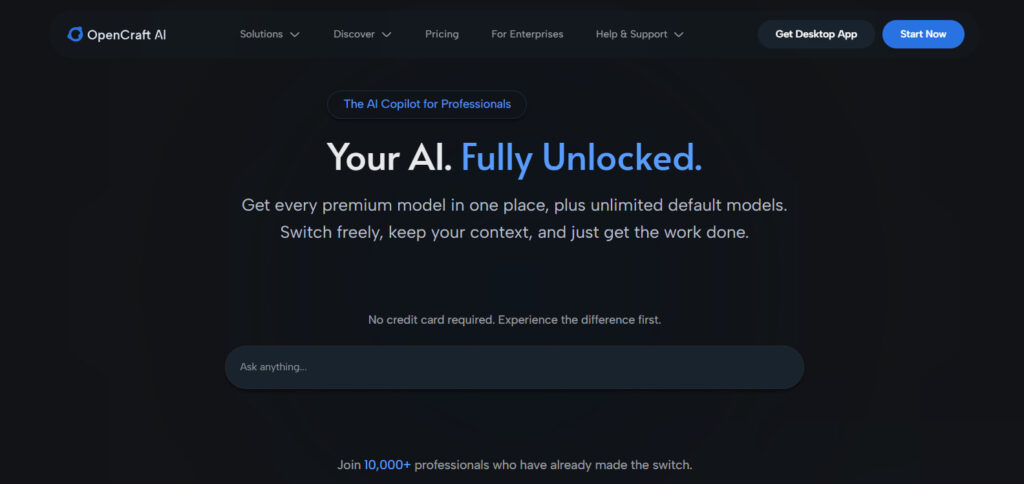
Ocai charges per use, not per seat, which matters for a team that does not want another line item.
There is no monthly subscription and no rate cap. New users start with 100 free credits and no card required, as of September 2026.
A full-stack developer quoted on the site puts the money in plain terms: “I was paying for two premium subscriptions, over ₹3,500 a month (about $40). Ocai replaced both.”
For a team, the comparison that matters is hours, not dollars. If one operator saves four hours a week, the tool has paid for itself before the first invoice.
A team already paying $20 here and $20 there for assistants, plus a CRM, plus an outreach tool, can test the agent on one real task for free and compare the output.
How to test one AI use case in GTM this week
The fastest test is one real task, not a pilot program.
Pick one job the team already does every week. Give the agent the inputs the team already has: the lead list, the voice guide, the last follow-up. Ask for a finished file, in a specific format, with a specific length.
If the file comes back finished and usable after one review pass, the agent is doing its job. If it comes back as a plan for how the team could finish it, the brief needs to be sharper, or the tool is not an agent.
Run that test before the team commits. One afternoon answers more than a month of demos.
FAQ: AI use cases in GTM
What are the best AI use cases in GTM for an operator?
Research and account lists, on-brand copy, follow-up that references prior context, and self-building reports. These are the tasks that eat the most hours each week.
Which AI use case in GTM should our team automate first?
Pick the task with the clearest input and output, like list cleaning or report building. It is the easiest to verify and the fastest to show a time saving.
Can an AI agent replace our CRM?
No. Ocai works alongside the CRM through connectors. The CRM, intelligence tools, and billing stack stay; the agent finishes the steps between them.
Will AI fix our broken funnel?
No. It can diagnose where the funnel breaks by comparing stage-by-stage numbers. The fix is a human decision.
Is our customer data safe?
Ocai runs inside an isolated sandbox that cannot touch your files, and the site quotes a financial advisor on zero training on customer information.
How much does it cost?
Pay per use. No subscription, no rate cap. New users start with 100 free credits, as of September 2026.
Do we need to know how to code?
No. The work is described in plain language, and the agent runs the tools, files, and code.
What makes an agent different from a chatbot?
A chatbot answers a prompt and stops. An agent runs the multi-step work and returns finished files.
Next step: see how you delegate
If the busywork in this article sounds familiar, the test is cheap. See how you delegate, hand over one real GTM task, and compare the finished file against what the current stack produced last week.
Then check the pricing page and the models that power it.
Frequently asked questions about AI use cases in GTM
How long does it take to roll out an agent to a GTM team?
One week of testing on one real task answers more than a quarter of planning. There is no migration. The agent runs in its sandbox, and the team hands it files and briefs before wiring any connectors to the CRM.
Does the team need clean data before the agent helps?
No. The agent helps clean the data. A dirty lead list comes back deduplicated and enriched, and a report built from three messy sheets comes back as one clean table. Clean data is the output, not the prerequisite.
Which GTM tasks should never be handed to an agent?
Customer conversations, pricing, account prioritization, and the final word on any message that reaches a real prospect. Those are the team’s judgment. The agent handles the steps around them, and the team keeps the calls.
What is the first thing a team should hand to an agent?
A report that already has a clear shape. Weekly pipeline summaries, list deduplication, and follow-up drafting are all good first tasks, because the input and the output are both files, which makes the result easy to verify against last week’s version.