Key Takeaways
- 95% of generative AI pilots fail because organizations attempt fullautomation before building foundational understanding
- Start with copilots, not autopilots – AI works best as a supportive tool that augments human intelligence, not replaces it
- Build familiarity first – Copilot implementations teach your team prompting nuances and AI limitations in low-risk environments
- Scale based on real results – Only progress to custom workflows after proving value and establishing trust
- Technical challenges become manageable when you design for human-AI collaboration instead of full automation
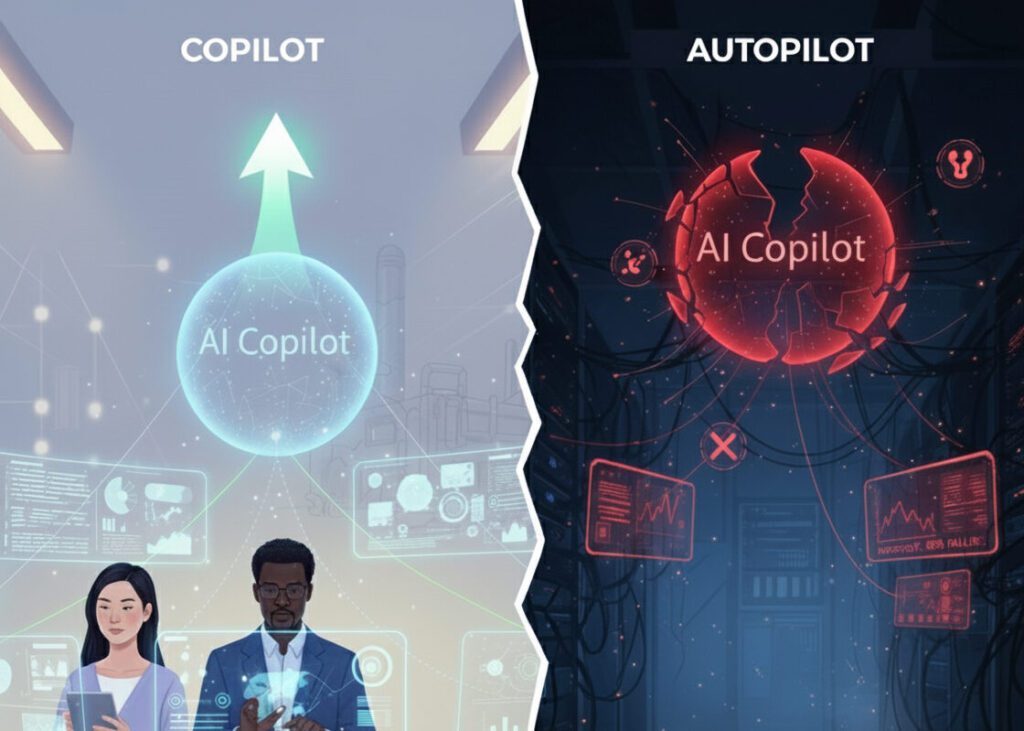
95% of generative AI pilots at companies are failing despite billions in investment and relentless hype. While you’re wrestling with unreliable outputs and watching users abandon your AI features, a small group of organizations is quietly achieving sustainable success through a radically different approach.
If you’re a technical leader or product owner, you’ve probably lived this nightmare. Your AI demo wowed executives. Your proof-of-concept looked brilliant. Then real users hit your production system, and everything fell apart.
After building production AI systems with 1,500+ users over 2.5 years, I discovered the pattern that separates success from failure: Organizations that start with AI copilots achieve 3x higher adoption rates than those attempting full automation from day one.
In the next 7 minutes, you’ll learn exactly why AI copilots are your strategic first step, how to implement them without the common pitfalls, and when to scale to custom workflows.
The Brutal Reality: Why Your AI Implementation Is Failing
The Problems That Don’t Show Up in Demos
Here’s what nobody tells you about production AI: the problems only emerge when real
users and real data enter the equation.
You’ve probably experienced these nightmare scenarios:
- Model outputs change randomly – Your JSON schema parser works perfectly for weeks, then suddenly fails 1 out of every 3 requests
- Consistency evaporates – The same input produces different results 25% of the time, destroying user trust
- Tool calling becomes unreliable – Minor prompt variations cause complete failures in function execution
- Context windows betray you – Complex real-world problems exceed what models can actually process
After about 6 months in production for each app, reliably, I have collected the same set of feedback: users don’t read AI-generated anything because they have found it to be too inaccurate.” – Production AI architect with 1,500+ users
But here’s what 97% of teams miss: These aren’t bugs to fix. They’re fundamental characteristics of how LLMs work. You can’t engineer your way around non-deterministic systems by treating them like deterministic ones.
The counter-intuitive part? Your evaluation framework, your prompt engineering, your technical architecture – none of it matters if you’re building the wrong thing.
Why AI Copilots Succeed Where Autopilots Fail
The Critical Distinction
AI copilots aren’t about replacing humans. They’re about augmenting human intelligence in a way that builds trust, teaches AI literacy, and creates measurable value without requiring perfect accuracy.
The most successful organizations frame AI as a supportive tool that handles 80% of the grunt work, leaving humans to review, refine, and approve. This isn’t a compromise – it’s the strategy.
Here’s why this works:
- Builds user trust gradually through collaborative workflows where humans maintain control
- Teaches prompting nuances in real-world scenarios with immediate feedback
- Reduces implementation risk by keeping humans in the loop for critical decisions
- Creates measurable productivity gains even when AI accuracy is only 70-80%
The game-changing insight? When you design for collaboration instead of automation, technical challenges become manageable. Inconsistent outputs aren’t failures – they’re drafts for human review.
Your Step-by-Step Copilot Implementation Framework
Step 1: Start with Business Pain, Not AI Capability
Don’t ask “What can AI do?” Ask “What’s costing us real money?”
The most reliable predictor of copilot success is solving problems that already have quantified financial impact.
Your action plan:
- Identify tasks where employees spend 3+ hours on repetitive work
- Calculate the annual cost of current inefficiencies
- Find processes where 80% completion would deliver immediate value
- Map workflows that already include human review steps
Lumen Technologies identified their sales teams spent 4 hours researching customer backgrounds – a $50 million annual opportunity. Only after quantifying that pain did they design Copilot integrations that achieved 9.4% higher revenue per seller.
Quick: What’s your current cost of the most painful repetitive task in your organization? If you can’t answer that in 30 seconds, you’re not ready to implement AI.
Step 2: Design for Human-AI Collaboration
The choreography is deliberate. Define which actions stay human, expose graceful override paths, and instrument feedback capture as a first-class feature.
Implementation patterns that work:
- Review-and-approve workflows – AI generates drafts, humans refine and publish
- Validation layers – Check AI outputs before execution, loop back for corrections
- Feedback loops – Capture every human edit as training data for improvement
- Clear handoff points – Users always know when they’re in control vs. when AI is assisting
Remember: Users will trust AI when they can verify, override, and improve its outputs. Remove that control, and adoption collapses.
Step 3: Start Small, Learn Fast
Choose one high-impact, low-risk use case for your initial copilot implementation.
The sweet spot? Applications where:
- Human review is already part of the process
- Mistakes have low consequences
- Success is easily measurable
- Users are motivated to save time
Winning first use cases:
- Email drafting assistance (saves 15-30 minutes daily)
- Meeting summarization (eliminates note-taking overhead)
- Code completion (reduces boilerplate by 40%)
- Document analysis (cuts research time in half)
This is where most strategies completely backfire: Teams try to solve the hardest problem first to prove AI’s value. Instead, solve the easiest problem that delivers measurable time savings. Build momentum, not monuments.
Step 4: Build Your Evaluation Framework From Day One
Create a “golden set” of 100-200 real-world examples that represent the good, the bad, and the ugly of your actual data. Test every single prompt change against this evaluation suite.
Critical metrics to track:
- Time savings per task (measure in minutes, not percentages)
- User satisfaction scores (weekly pulse surveys)
- Error rates and correction frequency (instrument every human edit)
- Adoption rates across teams (daily active users, not signups)
The counter-intuitive part? You’re not measuring AI accuracy. You’re measuring whether humans trust the AI enough to use it daily. Those are completely different metrics.
Imagine checking your analytics in 30 days and seeing 80% daily active usage with 4.2/5 satisfaction scores. That’s the goal – not 95% AI accuracy
Step 5: Scale Based on Real Results, Not Hype
Only expand your copilot implementation when you have:
- Proven time savings (minimum 30 minutes per user per week)
- High user satisfaction (4+ out of 5 consistently)
- Clear ROI calculations (cost savings exceed implementation costs by 3x)
- Established governance (you know how to handle edge cases and failures)
But here’s what this guide couldn’t cover: The advanced patterns that elite performers use require specialized multi-AI orchestration that goes beyond basic copilot implementation.
While these strategies work brilliantly, imagine having multiple AI assistants simultaneously optimizing different workflows, each trained on different data sources and specialized for specific tasks. That’s exactly what we’ll explore in the advanced guide to AI orchestration and multi-agent systems.
The Technical Reality: Making Copilots Reliable
Addressing Core Technical Challenges
For JSON schema issues: Stop asking models to follow schemas in prompts. Use API’s built-in JSON mode or structured output features. This moves from suggestion to hard constraint.
For consistency problems: Implement temperature=0 settings for deterministic tasks. Cache first responses for identical inputs. There’s no reason to call the API twice for the same task.
For tool calling reliability: Add validation layers that check arguments before execution. If arguments are invalid, loop back and ask the model to correct itself with specific error messages.
For context limitations: Don’t try to educate models on complex domains in a single prompt. Use retrieval-augmented generation (RAG) to inject only the most relevant context, not everything.
The game-changing insight? These technical solutions become manageable when you’re building copilots rather than attempting full automation. Imperfect outputs aren’t failures – they’re starting points for human refinement.
The Human Factor: Why Trust Determines Success
The Psychology of AI Adoption
Users accept AI assistance when they maintain control. When AI becomes an autopilot, trust evaporates.
The data proves this:
- Microsoft’s sales teams using Copilot achieved 9.4% higher revenue per seller and closed 20% more deals by maintaining human control over final customer communications
- Air India’s AI virtual assistant handles 97% of 4 million+ customer queries because it’s designed for specific, well-defined tasks with clear limitations
The critical distinction: Copilots make users faster and more effective. Autopilots attempt to replace them.
Score yourself 1-10 on this question: Does your AI implementation make users feel more capable, or does it make them feel replaceable? If you answered below 7, you’re building an autopilot, not a copilot.
Your Action Plan: This Week's Implementation Challenge
Remember:
- Start with business pain, not AI capability – identify real costs before selecting models
- Design for collaboration, not automation – humans should review and approve AI outputs
- Build evaluation frameworks from day one – test every change against real-world examples
- Focus on people and processes over technology – 70% of AI success comes from change management
- Scale based on real results – only expand after proving value and establishing trust
This week, implement just ONE strategy from Step 3. Choose one painful business process and design a simple copilot workflow. Check your user adoption metrics in 7 days.
Which strategy are you implementing first?
What's Next: The Advanced Path
But here’s what this guide couldn’t cover: The strategies that elite performers use require specialized knowledge that goes beyond basic copilot implementation.
While these copilot strategies work brilliantly for initial adoption, imagine having multiple AI agents simultaneously optimizing different workflows, each trained on different data sources and specialized for specific tasks. Imagine custom AI workflows that learn from your team’s corrections and improve automatically.
That’s exactly what we’ll explore in the advanced guide to AI orchestration, multi-agent systems, and custom workflow automation – but only after you’ve built the foundation with copilots.
Remember: The goal isn’t just to implement AI. It’s to build organizational AI literacy, trust, and capability that compounds over time. Copilots are your first step on that journey.
Looking for best AI Copilot options? Check out our guides on the best AI tools and alternatives to ChatGPT that can supercharge your workflow!
Anip Satsangi is the founder of OpenCraft AI, and an AI implementation strategist who has helped organizations navigate the transition from failed AI projects to sustainable, value driven adoption. With 2.5 years of hands-on experience building production AI systems, he brings practical insights from the trenches of enterprise AI deployment.